
One thing to know before you start: Scoreboards does not connect to fitness trackers or running apps, so nothing is synced on its own. Members type in what they did and attach a screenshot as proof. For a gym, running or step-challenge server that is usually enough, and it works the same whatever device each member uses.
Which board fits which challenge
| The challenge | Board type | How an entry counts | Example name |
|---|---|---|---|
| Most steps, km or reps over a month | Classic | Every approved entry is added to the member's total | "November Step Challenge" |
| Heaviest lift, most push-ups in one set | Highscore | Only the member's best entry counts | "Deadlift PB (kg)" |
| Fastest 5K or 10K | Time | The member's fastest time counts, lowest on top | "5K Time Trial" |
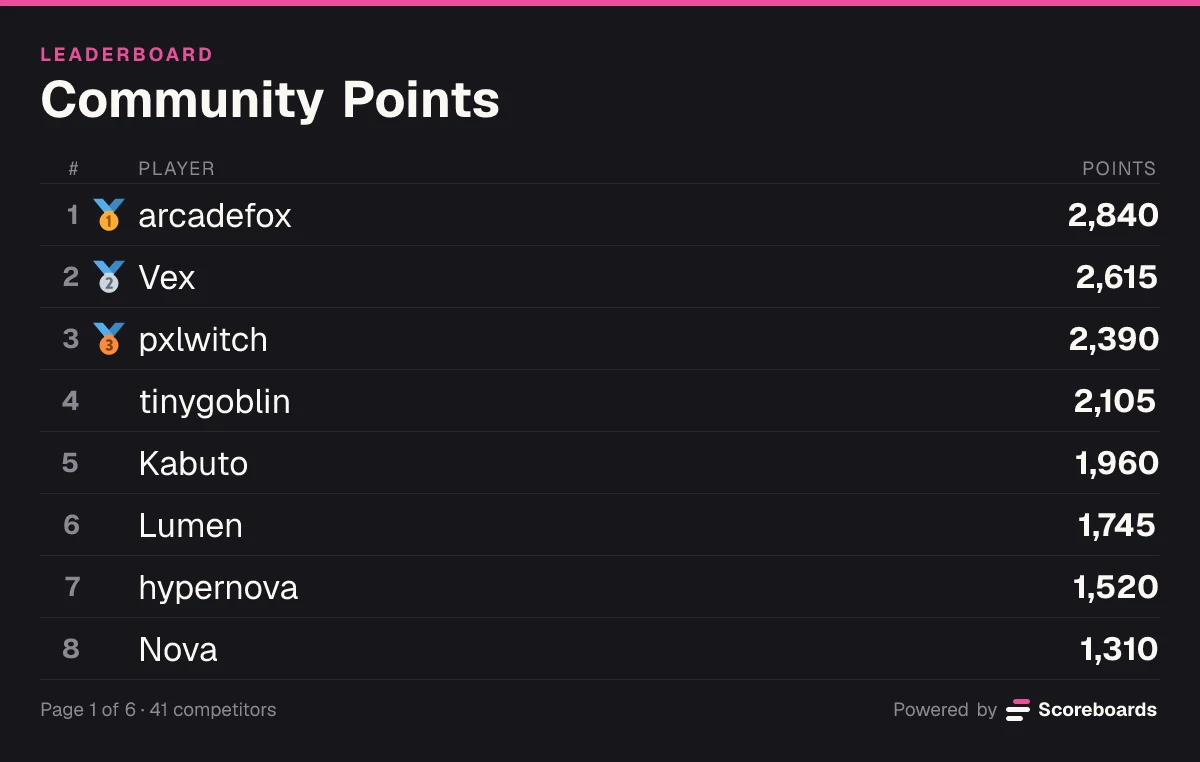
Classic is the workhorse for challenges. A member who logs 8,200 steps today and 11,450 tomorrow stands at 19,650. Decimals work too, so a 7.5 km run can be entered as it is. The Classic guide has more.
Highscore suits anything with a personal best. A 140 kg deadlift stays on the board until the same member submits 142.5. Lighter attempts change nothing. See the High Score guide.
Time ranks the fastest time first. Times are entered as minutes, seconds and hundredths, so a 24:31 5K is 24:31:00. The minutes field has two digits, which means times up to 99 minutes fit: fine for a 5K or 10K, too short for most marathons. Rank long runs by distance on a Classic board instead. The Fastest Times guide explains the format.
A board stores a number, not a unit. Put the unit in the name, "Bench Press PB (kg)" or "Monthly Distance (km)", so nobody mixes pounds and kilos.
Set up a fitness challenge step by step
- Add the bot. Invite Scoreboards to your server. You need Manage Server permission.
- Create the challenge board. In the channel where it should be posted, run
/leaderboard create. Enter a Name like "November Step Challenge", set Leaderboard type to Classic and choose a Log channel, for example #proof-review, so entries are checked before they count. - Add a second board if you want one. Run
/leaderboard createagain for "Deadlift PB (kg)" with the Highscore type, or "5K Time Trial" with the Time type. - Choose who approves. Run
/dashboardand set the validator role under Server. Its members can approve entries without being admins. - Set the pace of approval. On the board's settings, Auto Approve can let entries through on their own after 1 hour, 3 hours, 24 hours, 3 days or 7 days if no moderator got to them.
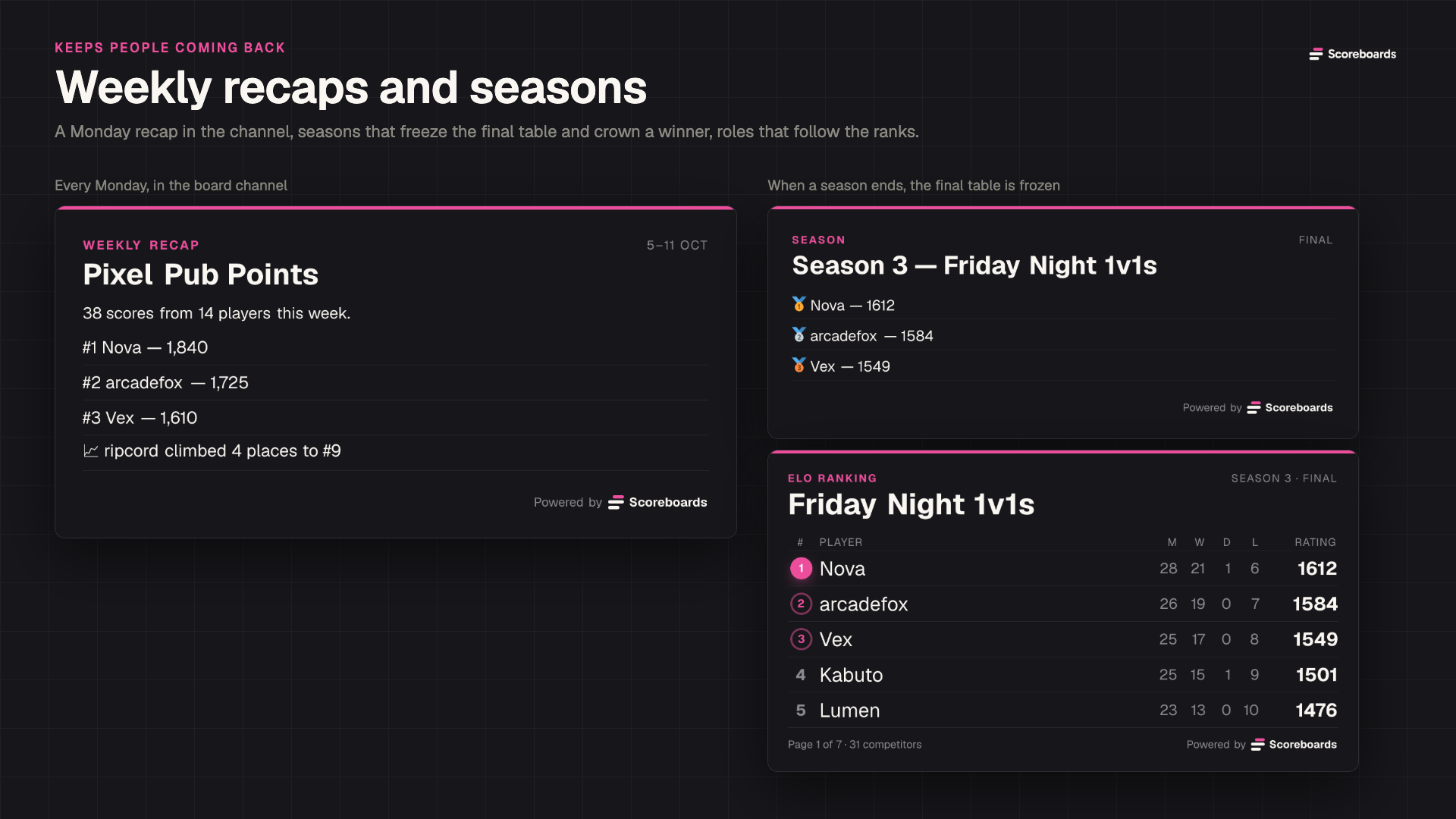
- Make it monthly. Under Seasons, turn on an automatic monthly season. On the last day of the month the board freezes, a podium is posted and next month's board starts by itself.
- Post the rules. The unit, what counts (outdoor runs only? treadmill too?), how often to log, and what the screenshot has to show.
What the Free plan covers. Free includes every board type, unlimited members on a board and 2 leaderboards per server: for example one monthly challenge and one personal-best board. A board for each lift or distance needs more. Plus allows 25 leaderboards, Premium 100 and Ultimate 500. Boards frozen at the end of a season stay visible as a record and do not count toward the limit.
How members log workouts and how entries are approved
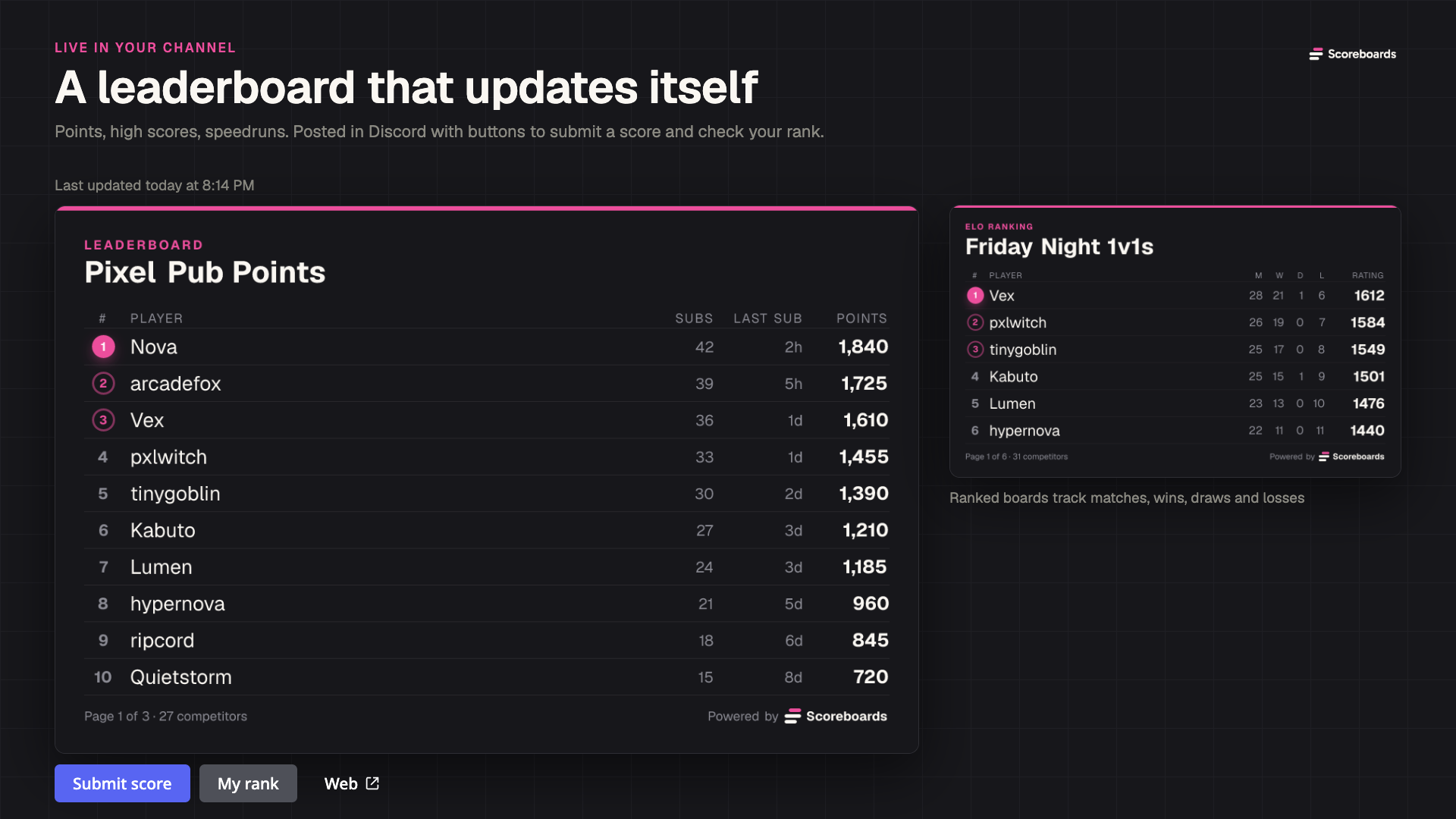
Members press Submit score under the leaderboard. The form asks for the number and offers an optional screenshot upload. Nobody has to learn a command.
- Without a log channel, the entry counts right away. Good for a small group that trusts each other.
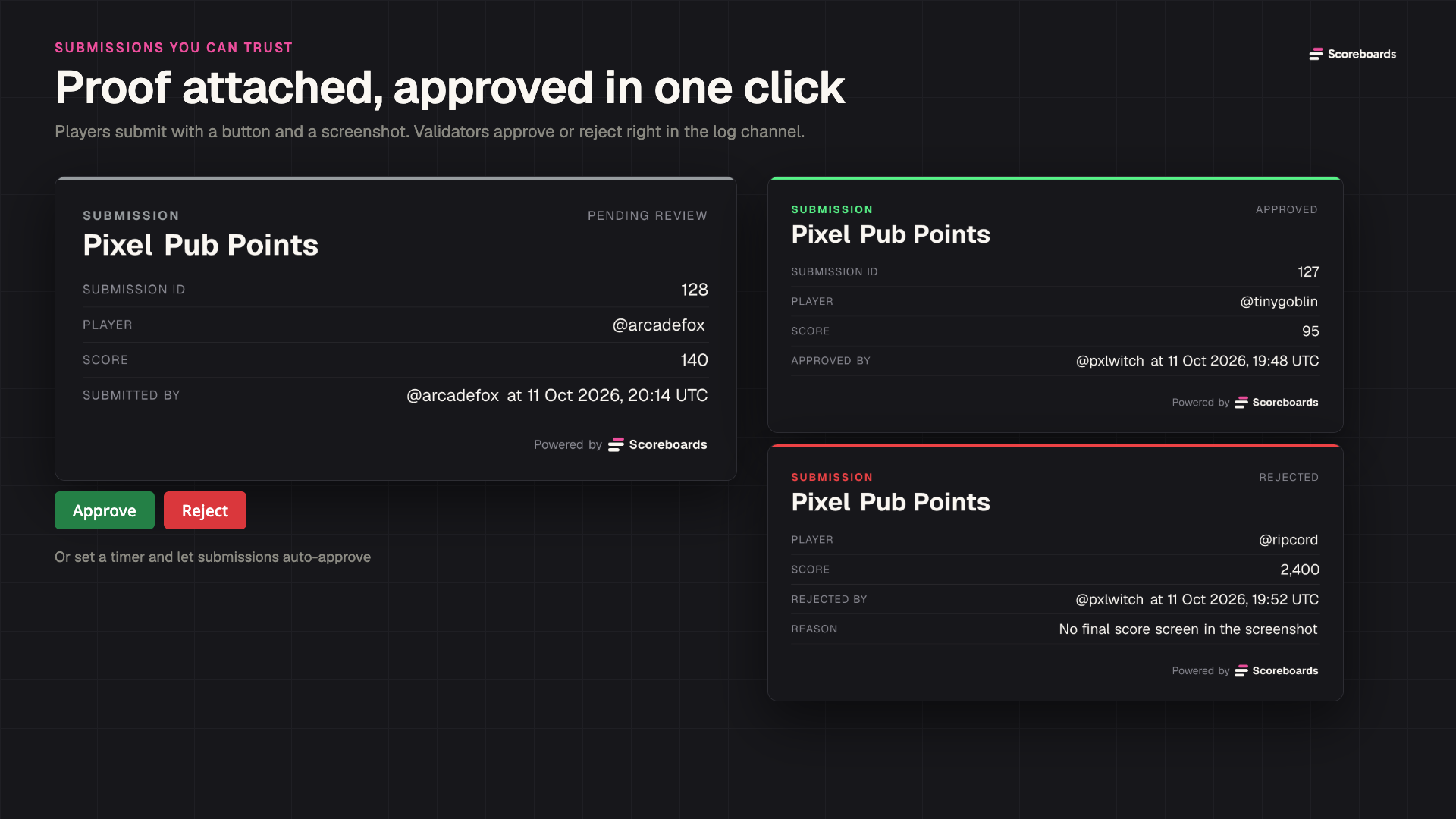
- With a log channel, each entry appears there as a card with the member, the number and the screenshot. A validator presses Approve or Reject, and a rejection can say why, such as "screenshot shows last week".
- With Auto Approve, unreviewed entries approve themselves after the delay you set, so a weekend away does not stall the board.
Mistakes happen, such as a step count with one zero too many. An admin can correct it with /score: Set replaces a member's value, and Adjust adds to it or subtracts with a minus sign, like -5000. Admins can also log an entry for someone else through the member picker in the Submit score form.
Keep it fair and keep people moving
- Proof that takes five seconds. A screenshot of the day's summary from the watch or app, with the date visible. For lifts, a photo of the loaded bar or a still from the video.
- Log on a fixed rhythm. On a Classic board every entry is added, so agree on one entry per day or per week. It keeps the log channel readable and double entries easy to spot.
- Rank effort, not bodies. Steps, distance and sessions are things everyone can add to. Leave body weight off the leaderboard.
- Monthly seasons. A fresh board each month gives new members a real chance, and the frozen board shows who won October. A champion role can go to first place or the top few.
- Weekly recaps. Every Monday, boards with at least three scores in the past week get a recap with the top three and the biggest climber. Quiet boards are skipped.
- Roles and rewards. Tier roles for the top ranks and a server currency that members earn from approved entries both start on the Plus plan.
FAQ
Can the bot sync steps or runs from a fitness tracker automatically?
No. Scoreboards does not read data from fitness trackers, watches or running apps. Members submit their numbers with the button and can attach a screenshot, and moderators approve them.
Can members log a workout every day?
Yes. On a Classic board every approved entry is added to the member's total, so daily steps or kilometres add up over the month. On Highscore and Time boards only the best entry counts.
How do we stop people from posting fake numbers?
Give the board a log channel and require a screenshot in your rules. Each entry then waits for a validator, who can reject it with a reason. A wrong total can be corrected with /score.
Is a fitness challenge leaderboard free?
Yes, for up to 2 leaderboards per server with unlimited members, including seasons and weekly recaps. More boards, tier roles and the server currency are part of the paid plans.
Start your challenge
Invite Scoreboards, create a Classic board for this month's challenge and post the rules next to it. The step-by-step Discord leaderboard guide explains every setting if you want to go further.