
XP for chatting
Each message earns 15–25 XP, and only one message a minute counts — ten quick messages earn what one does, so spamming gets nobody anywhere. Set the range and the cooldown per board.
Members earn XP for chatting and for time in voice, level up on a familiar curve and collect roles as they climb — ranked on a leaderboard that lives in Discord and on the web.

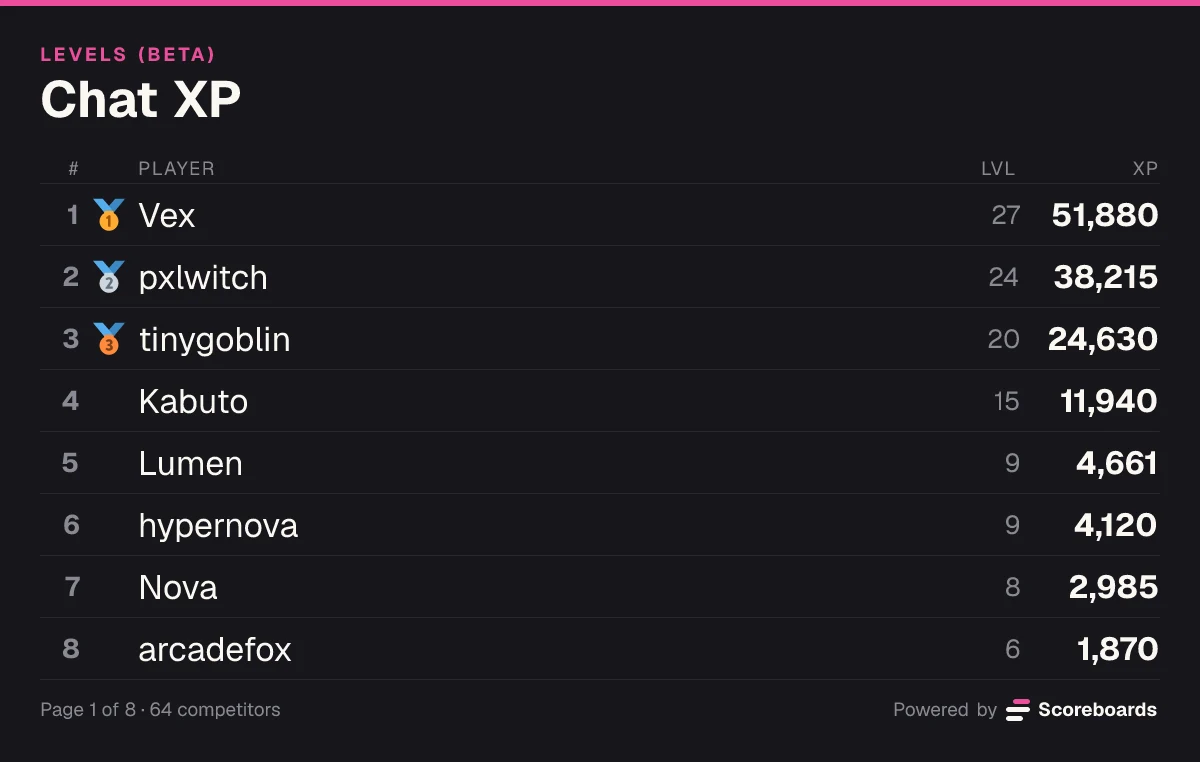
🎉 @Lumen reached level 10 on Chat XP!
Scoreboards is a Discord leveling bot that turns everyday conversation into a leaderboard. Members earn XP by chatting and by talking in voice, their level follows from their XP, and roles, level-up messages and a weekly recap keep everyone climbing — with nothing to submit and no message ever read. Levels (BETA) is the newest Scoreboards leaderboard type, and it is still in beta.
The basics
A leveling bot rewards members for taking part. Each message and each minute in a voice channel earns XP, XP adds up to levels, and a level can come with a role, a shout-out and a place on the leaderboard.
The levels are not the point. The point is a reason to come back: a newcomer can see the regulars at level 25 and a clear way to get there, and the regulars have a rank to hold on to.
Scoreboards runs it as a leaderboard type, so your levels get the same live board in Discord, web page and weekly recap as every other Scoreboards leaderboard — and the XP is counted fairly: one message a minute, and voice only while a member is unmuted with someone to talk to.
Pick a level and a curve. The numbers come from the same code the bot levels members with.
Curve
5L² + 50L + 100 XP from level L to the next — the curve MEE6 uses.
Total XP to reach level 10
4,675XP
Level 10 to 11: 1,100 XP more
Level 0Level 100
Messages that count
234
At 20 XP each on average and one a minute at most: at least 3.9 h of chatting.
Or time in voice
7.8 h
At 10 XP a minute, unmuted and with company.
Estimates use the default settings — 15–25 XP per message, one message a minute, 10 XP a minute in voice — and each of them can be changed per board.
Features
Each message earns 15–25 XP, and only one message a minute counts — ten quick messages earn what one does, so spamming gets nobody anywhere. Set the range and the cooldown per board.
10 XP for each minute in a voice channel while a member is unmuted, undeafened, outside the AFK channel and has at least one other person there. Raise it, lower it, or set it to 0 to turn voice XP off.
The standard curve is the one MEE6 uses: 5L² + 50L + 100 XP per level, so level 10 is 4,675 XP and level 50 is 268,375. Prefer quicker levels? Switch to linear — everyone keeps their XP.
When a member reaches a new level, the bot congratulates them in the channel they were chatting in, in one fixed channel, or not at all. Write your own text with {user}, {level} and {board}.
Give a role at level 5, another at level 10 — as many level roles as you like. Members keep every role they reach, or only the highest one.
Leave out the channels where XP should not count, such as a bot-commands or spam channel (threads included), and the roles whose members never earn.
If your server runs the Scoreboards economy, pay currency each time a member reaches a new level, within the same daily cap as every other payout.
Moving from MEE6 or another level bot? Import a CSV of Discord user IDs and XP (user_id,xp) on the dashboard — the ID is what links each row to its member. On the same curve, the same XP is the same level.
The bot does not use Discord's Message Content intent and never reads or stores message text. Per member it keeps their Discord ID and display name, XP, a message count, voice minutes and when XP was last earned, plus a nightly rank snapshot for the rank-history chart — and, if your economy pays for levels, a currency ledger entry per level.
Want the full mechanics and best-practice tips? Read the complete leveling guide →
Under the hood
Most leveling bots are a black box. Here is exactly what happens between a member pressing Enter and the bot congratulating them.
They send a message or spend a minute in voice with friends. Bots, webhooks and Discord's system messages (joins, boosts, pins) never count, and only channels the bot can see do.
Is the cooldown over? Is the channel or one of the member's roles on the no-XP list? In voice: unmuted, undeafened, not in the AFK channel, not alone?
The XP is saved within seconds. The level is never stored — it is worked out from the XP each time, so switching the curve takes nothing from anyone.
Cross a level and the bot posts the congratulations, the role for that level follows, and any currency per level is paid.
The leaderboard message is redrawn when someone levels up or the order changes — at most once a minute, otherwise about every 15 minutes while members earn XP. My rank and the web board show XP within seconds.
One message a minute is all that counts, and a member alone in voice, muted, deafened or in the AFK channel earns nothing. Bots and webhooks never earn.
Use /score in Discord, or Set XP and Adjust XP in a player's menu on the website. A change by hand posts no level-up message and pays no level reward.
End a season and the board freezes as it finished: XP stops counting and the standings stay. Start the next season on a new Levels board and keep the frozen one as the record.
Levels (BETA) is new and still in beta. A server runs one Levels board at a time — a frozen one does not count — and it is always a server leaderboard, never a personal one.
In Discord
A level-up is a moment, so the bot makes one of it. Everything else stays quiet until a member asks.
🎉 @Lumen reached level 10 on Chat XP!
Level 10 · 4,682 XP · 1,093 XP to level 11
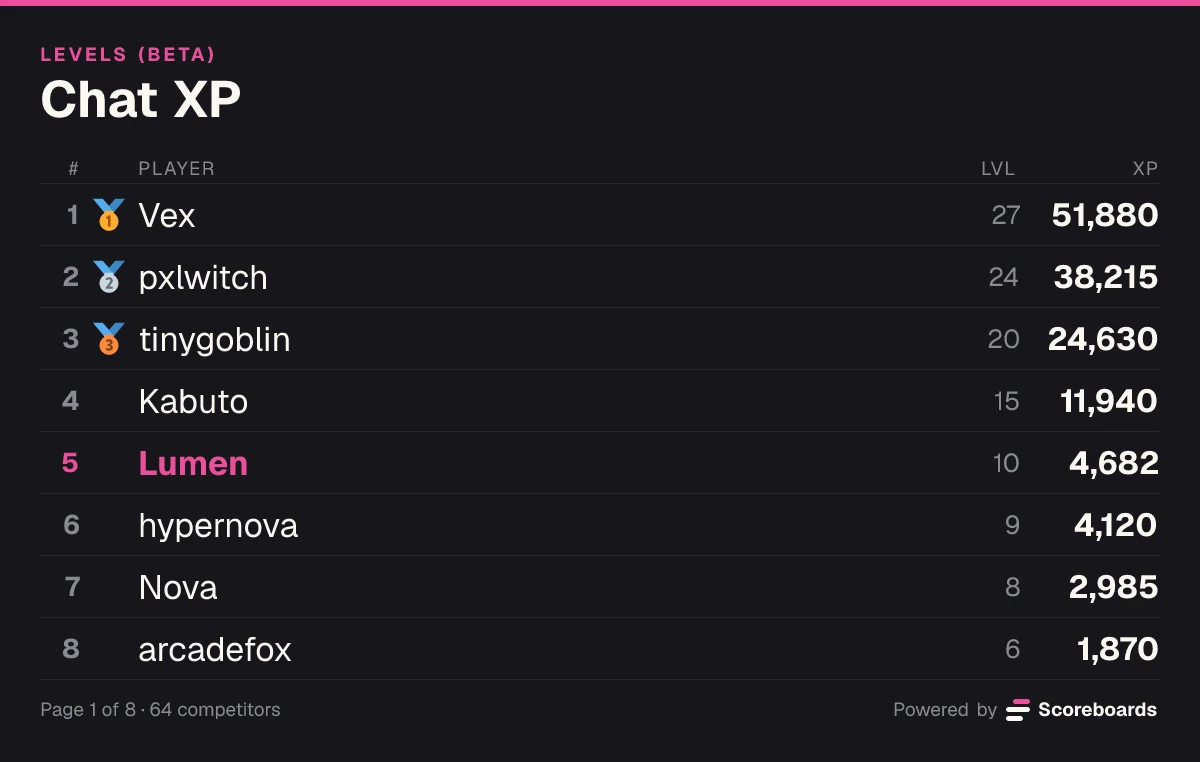
Only you can see this · Dismiss message
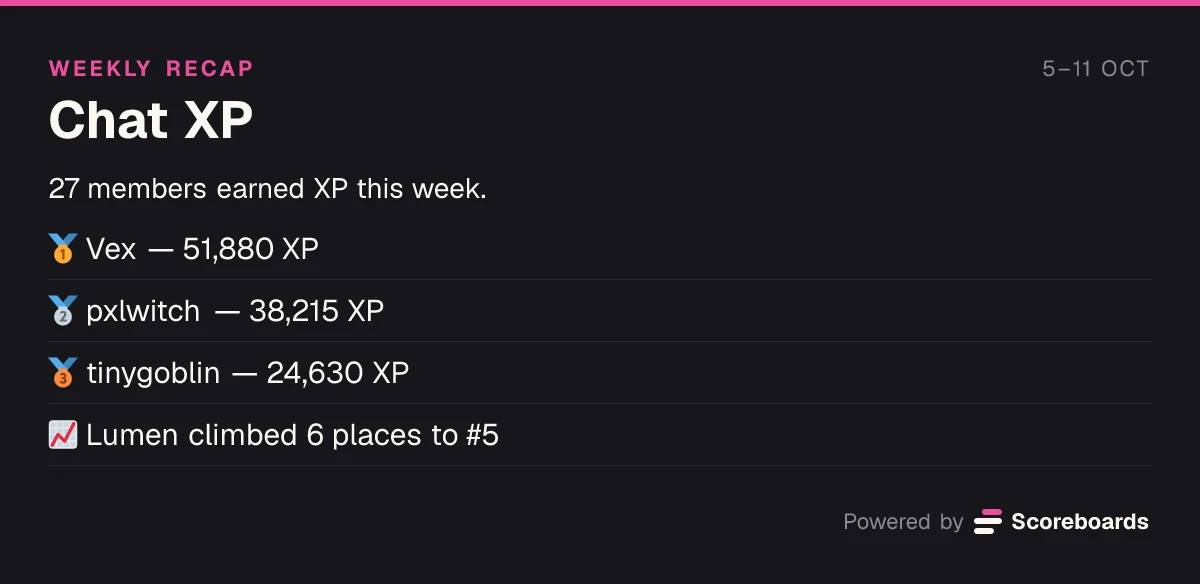
A level is worth more when it comes with something. A Levels board can hand out roles and, with the economy on, currency.
Tier roles in Level mode: pick a role for each level you like, with no limit on how many. The Scoreboards role has to sit above the roles it gives.
With the server economy on, set an amount to pay each time a member reaches a new level — once per level, counted toward the same daily cap as every other payout. Messages and voice minutes on their own pay no currency.
See how the economy worksEvery Levels setting is explained in the docs.
Use cases
Give regulars something to show for the hours they put in, and new members a reason to join the conversation instead of lurking.
Gaming groups, study rooms and hangouts where most of the talking happens in voice: minutes with company earn XP too.
Hand out roles at set levels, and let Discord's own channel permissions open a channel or a perk to the members who hold them.
See who your most active fans are, and reward the people who show up for every stream and every thread.
Run a month-long push, end the season to freeze the board and crown the top three, then start the next season on a new board.
Keep the levels your members already earned: import a CSV of their Discord user IDs and XP, and carry on, on the same curve.
Quick start
Invite the bot to your Discord server. It takes a few seconds.
Add to DiscordName the board and pick LEVELS (BETA). The bot posts the leaderboard, and XP counts from the next message on.
Nobody signs up or submits anything: the first XP a member earns puts them on the board.
XP per message, the cooldown, voice XP, no-XP channels and roles, level-up messages and currency per level are all in the board's Levels (BETA) settings on the dashboard. Roles per level are set under Tier roles.
Open the dashboardFAQ
Yes. The standard curve is the same one MEE6 uses, so the same XP lands on the same level. Put each member's Discord user ID and total XP in a CSV file, one user_id,xp per line, and use Import from CSV on the dashboard — the import replaces their XP and links each row to the member. A username instead of the ID becomes a separate entry that never earns. If MEE6 shows a rounded figure such as 12.5k, write the full number (12500); the XP may then be slightly off. There is no automatic import from MEE6, because MEE6's terms do not allow automated access to its service. A file holds up to 500 rows; split a longer list.
On the standard curve, going from level L to the next costs 5L² + 50L + 100 XP, so level 10 takes 4,675 XP in total, level 50 takes 268,375 and level 100 takes 1,899,250. The linear curve costs 100L + 75 per level. Switching curves keeps everyone's XP and only changes the level it works out to.
No. Only one message a minute earns XP — you choose the cooldown — and in voice a member has to be unmuted, undeafened, outside the AFK channel and with at least one other person. Bots, webhooks and system messages never earn.
No. It does not use Discord's Message Content intent, and the bot never reads or stores message text. For each member it stores their Discord ID and display name, total XP, how many of their messages earned XP, how many minutes in voice earned XP and when XP was last earned, plus a nightly snapshot of their rank for the rank-history chart. If your server's economy pays currency for levels, each level reached also adds an entry to the currency ledger. Nothing is stored per message.
No. XP counts from the moment the Levels board exists. To keep the XP members earned with another bot, import it from a CSV.
Add tier roles to the board in Level mode on the dashboard: one role from level 5, another from level 10, as many as you like. With Keep lower tier roles on, members keep every role they reach; with it off, only the highest. The Scoreboards role must sit above the roles it gives in Server Settings → Roles.
By default to the channel the member was just chatting in. You can send them to one fixed channel instead, or turn them off, and write your own text of up to 200 characters with {user}, {level} and {board}. The bot needs permission to send messages there.
Levels is the newest leaderboard type, so it carries the BETA label while it settles in. A server runs one Levels board at a time, and it is always a server leaderboard — a personal leaderboard cannot be one.
More leaderboard types
Every Scoreboards leaderboard lives in Discord and on the web, and one server can run as many as it likes.
Add Scoreboards, run /leaderboard create and pick LEVELS (BETA) — your members earn XP from their next message.
Add to Discord