
This is what Scoreboards posts in a Discord server, from the first leaderboard to the end of a season. The Discord cards below are the bot's own output, drawn by the same renderer it uses in your server. Only the names are made up.
A leaderboard that updates itself
Create a board and Scoreboards posts it in the channel as a picture: rank, player, score, medals for the top three and the page you are on. Every approved score redraws that same message, so the board in the channel is always the current one.
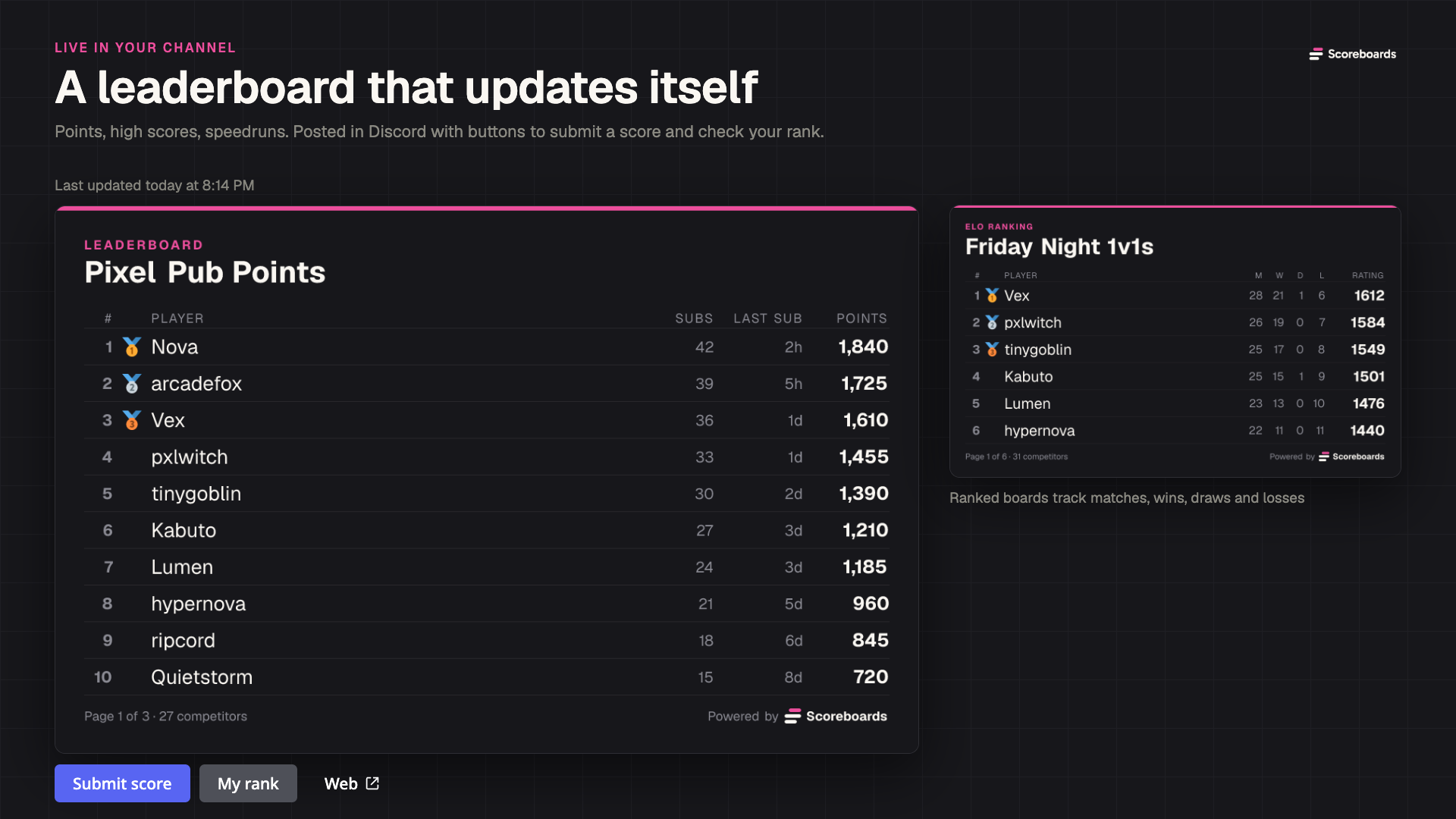
Under the board sit the buttons players actually use. Submit score opens a short form, My rank shows a player where they stand without scrolling, and Web opens the full board in the browser. Classic points, high scores and speedrun times all work the same way.
Ranked matches with ELO and a queue
ELO boards add a matchmaking queue. Players press Queue, get matched and play. Each match gets its own thread with a card showing previous meetings and recent form, and both sides vote on the winner.
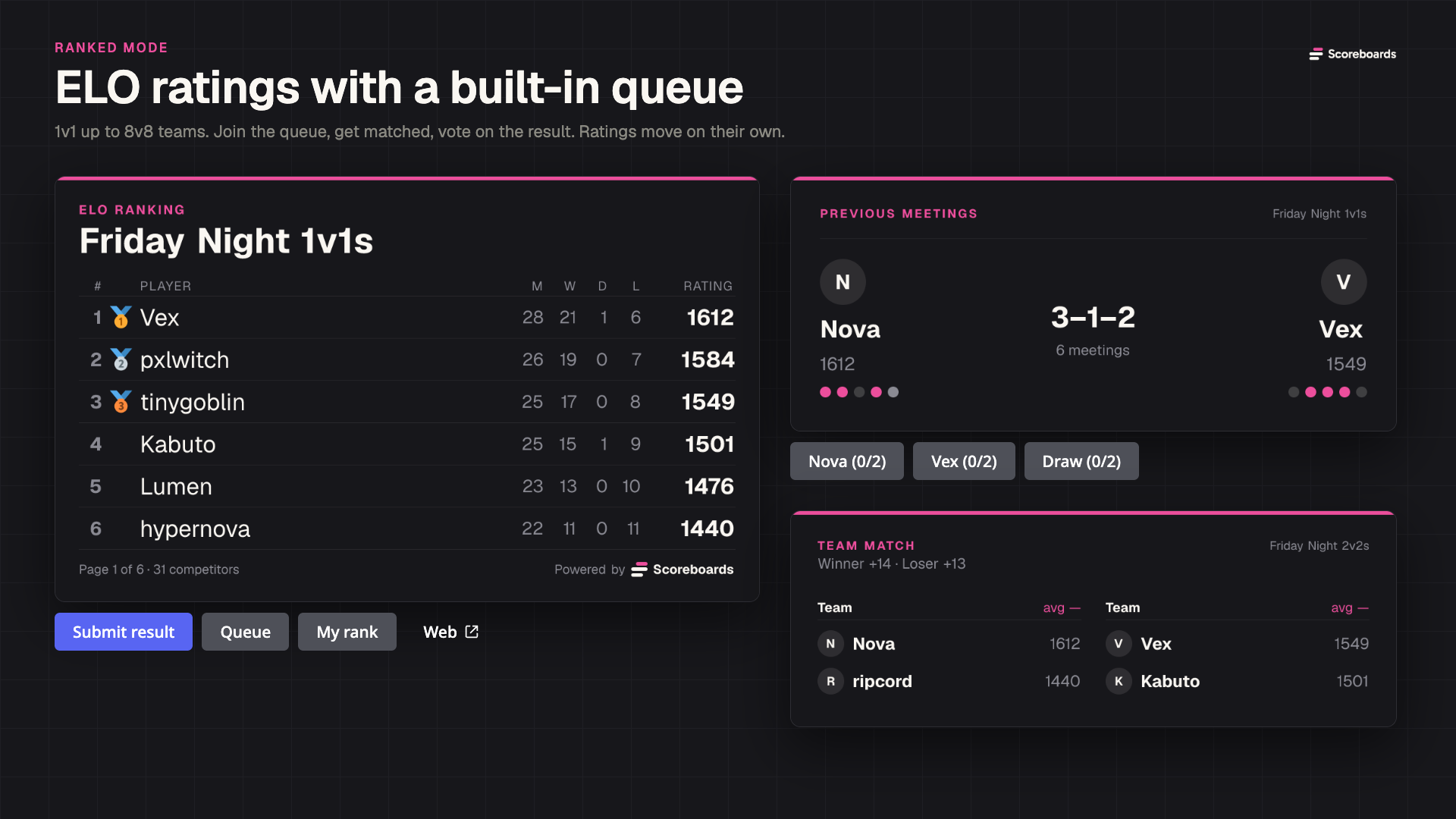
Ratings move on their own once the result is in. The same board runs 1v1 duels or team matches from 2v2 up to 8v8, rated on the team average. The ELO guide covers the details.
Score submissions with proof and approval
On a moderated board, every submission lands in a log channel as a card with the player, the score and an optional screenshot. Validators press Approve or Reject, and a rejection can say why.
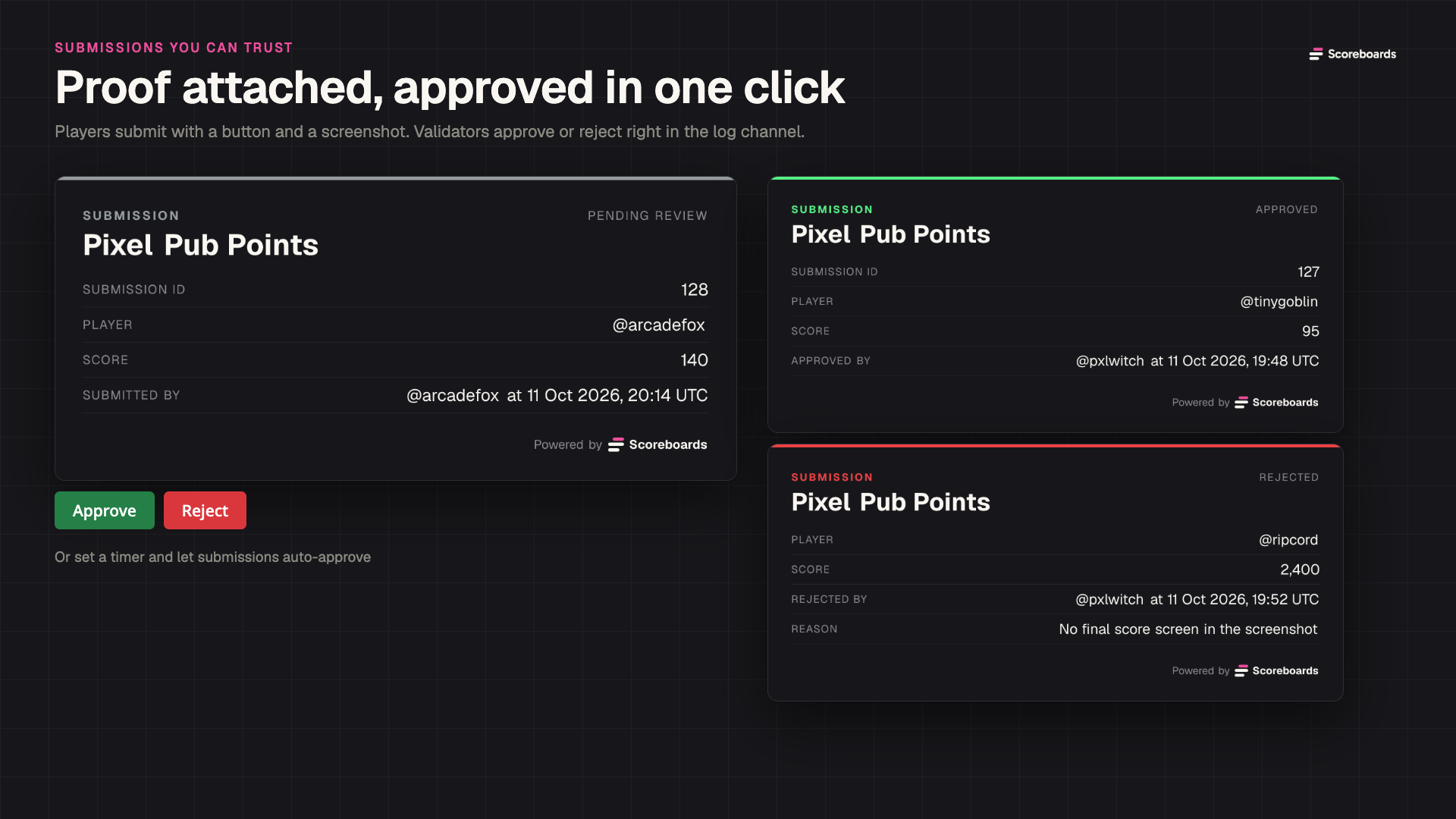
Prefer to trust your players? Make approval instant, or set a timer so anything the validators have not handled approves itself.
A web page and an embed for every board
Every board also lives on scoreboards.dev, with player profiles, rank history and recent activity. Members can check the standings without opening Discord, and anyone can share the link.
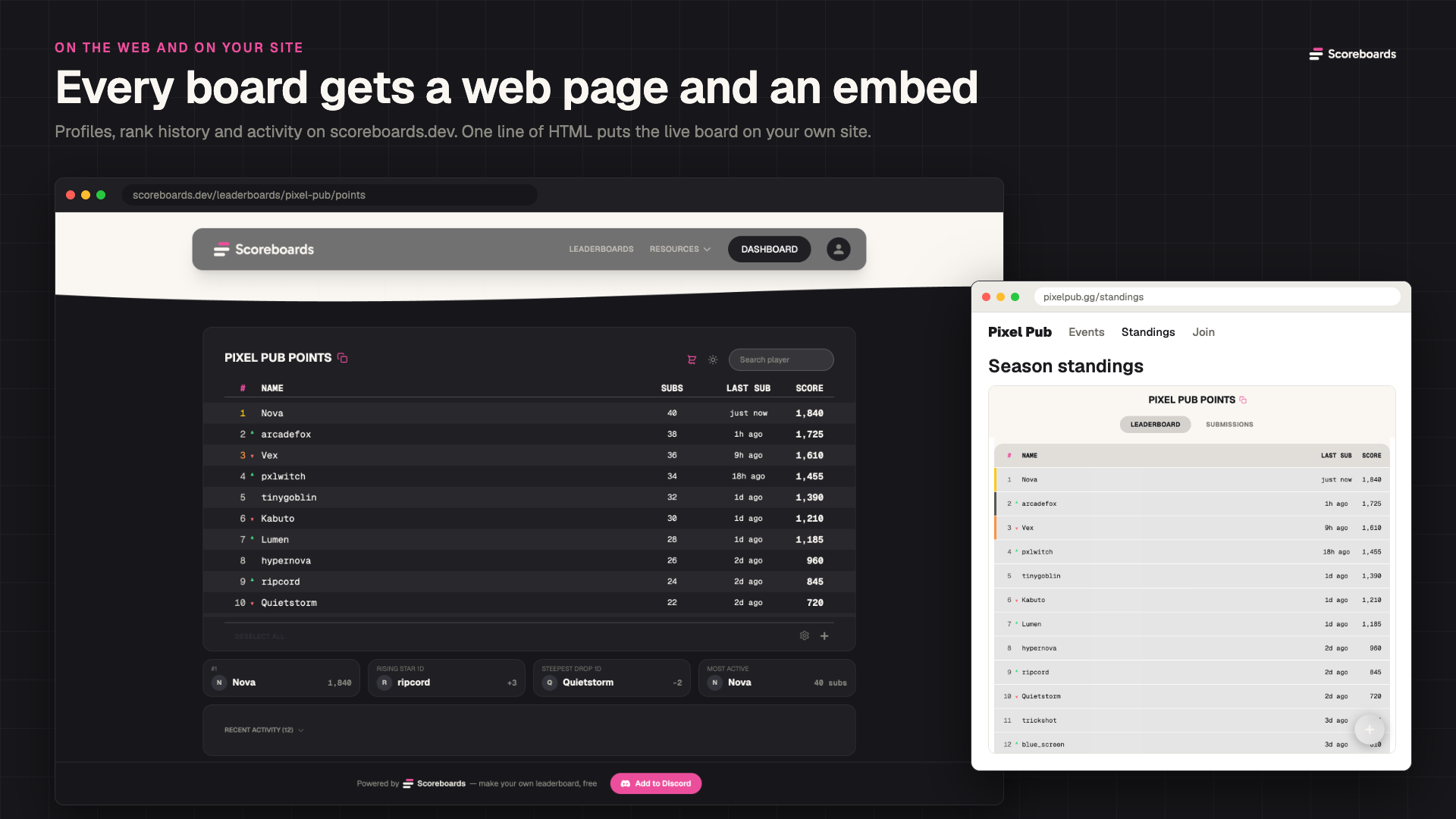
One line of HTML puts the live board on your own site, wiki or tournament page, in light or dark. See it running on the embed demo.
Weekly recaps and seasons
Every Monday, boards that saw play get a recap card in their channel: the top three, the biggest climber and how busy the week was. Quiet boards are skipped, so nobody gets a recap of nothing.
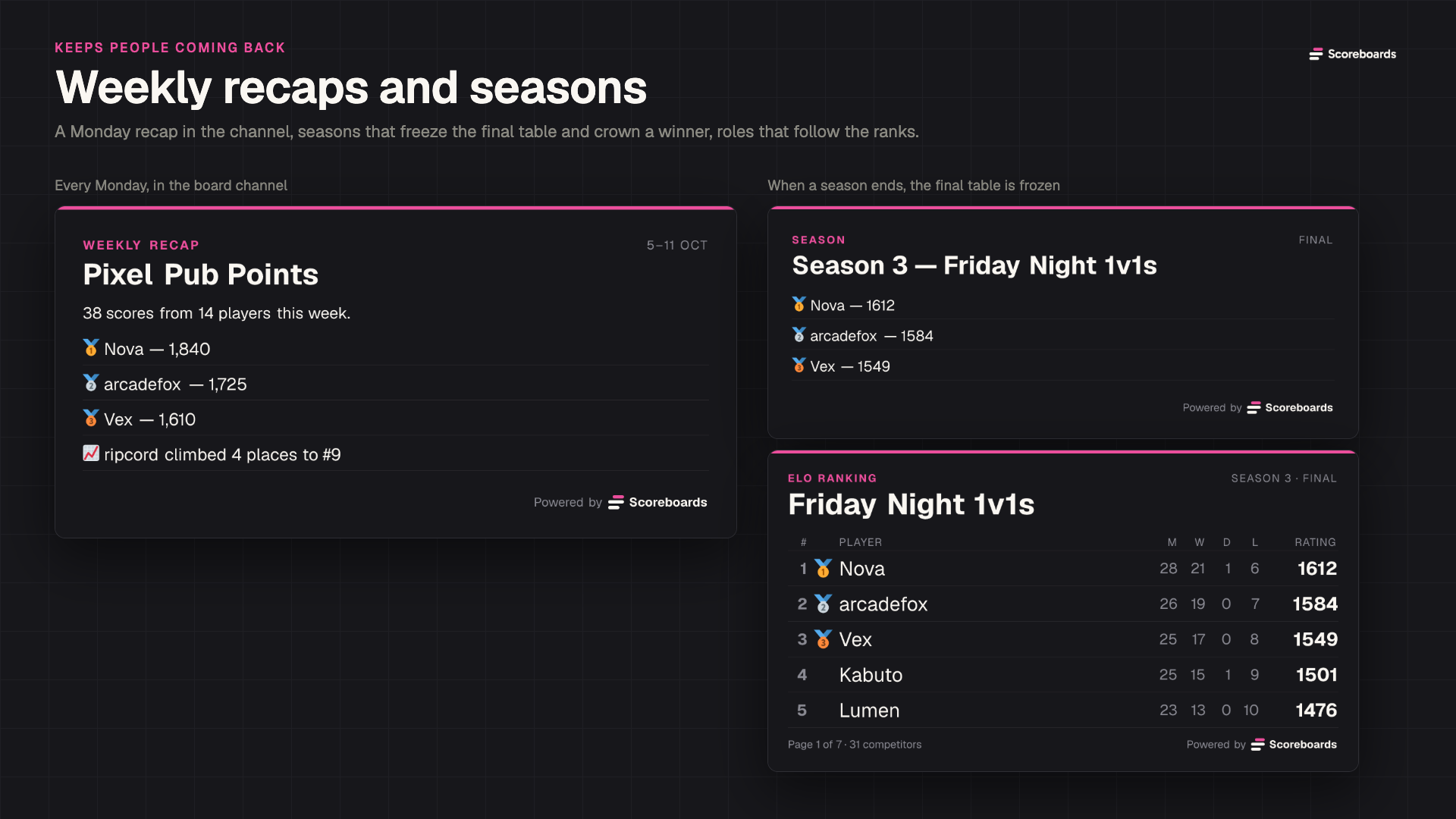
When a season ends, Scoreboards freezes the final table and posts the podium, and the next season starts on a fresh board. Tier roles follow the ranks the whole way, so the top of the table also shows in the member list.
Add it to your server
Invite Scoreboards, run /get started and your first board is live in a minute. For a walk through every setting, read the Discord leaderboard bot guide.