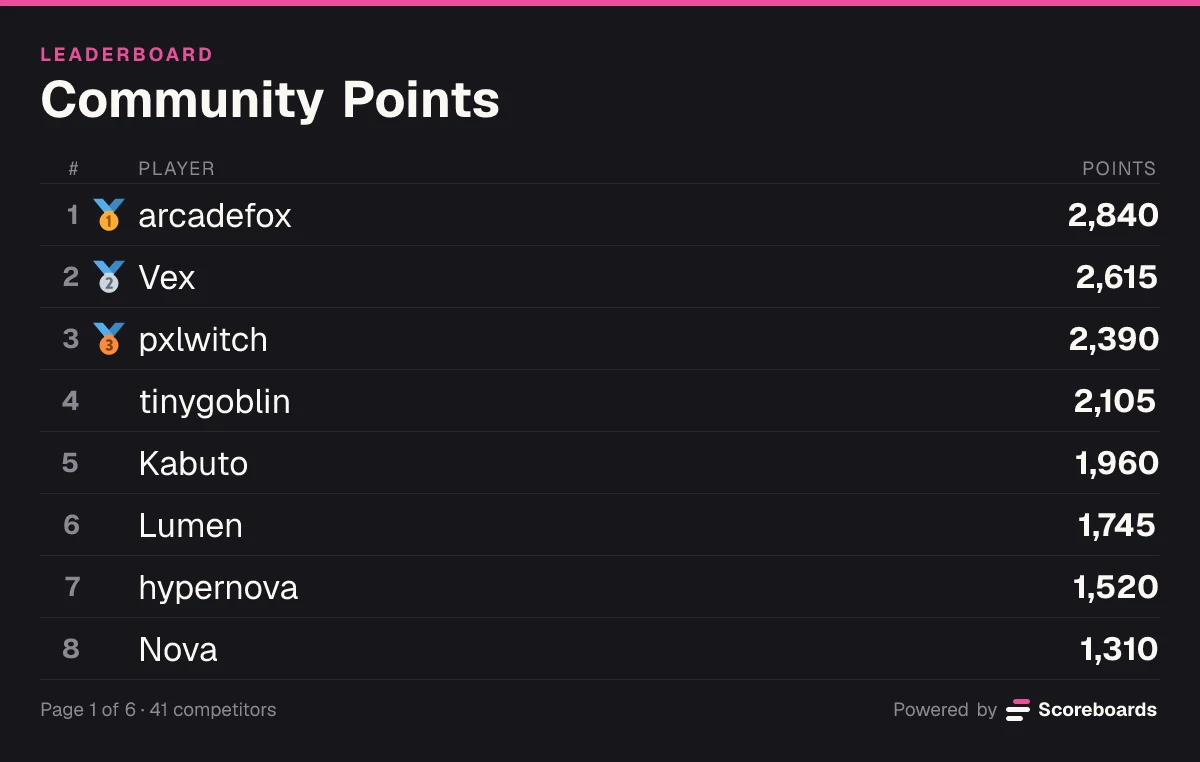

The Classic leaderboard is the most straightforward type available in Scoreboards. Points are accumulated over time — every score submission adds to a player's total. It is the go-to choice for long-running competitions, seasonal events, and any scenario where consistency matters more than a single peak performance.
How It Works
Each time a score is submitted for a player, it gets added to their existing total. If a player has 500 points and you submit 150 more, they now sit at 650. The leaderboard ranks everyone by their cumulative total, so the player who has earned the most points overall sits at the top.
This makes Classic leaderboards ideal when you want to reward sustained effort rather than a single lucky attempt.
Setting It Up
- Invite the Scoreboards bot to your Discord server if you haven't already.
- Use the
/leaderboard createcommand and select Classic as the scoreboard type. - Give your scoreboard a name — for example, "Season 3 Points" or "Weekly Challenge".
- Choose whether the sort order should be descending (highest score on top, the default) or ascending (lowest on top, useful if lower scores are better in your context).
- Set the number of visible ranks if you want to limit how many entries show on the board.
Once created, anyone with the configured permissions can submit scores with the Submit score button on the posted leaderboard message. The board updates in real-time.
What It's Good For
- Seasonal competitions — Run a month-long or season-long event where players earn points from multiple activities (game nights, challenges, trivia) and accumulate them on a single board.
- Activity tracking — Reward server engagement by granting points for participation, helping others, or contributing content.
- Multi-round tournaments — Each round's result feeds into a cumulative standings board so you can track overall tournament performance.
- Team competitions — Track team points across events. Each event win adds points to the team's running total.
Tips and Best Practices
- Reset between seasons. When a season ends, consider archiving the board and creating a fresh one. This keeps things clean and gives everyone a fair starting point.
- Combine with roles. Use Discord role rewards to recognize milestone point thresholds — for example, granting a "Top Scorer" role to anyone who passes 1,000 points.
- Use negative scores carefully. Classic boards support negative score submissions (subtracting points). This is useful for penalties, but make sure the rules are clear to avoid confusion.
- Pin the leaderboard. Post the live leaderboard embed in a dedicated channel and pin it so members can always check standings at a glance.
When to Choose Something Else
If you only care about a player's single best performance rather than their cumulative total, consider a High Score leaderboard instead. If your competition is head-to-head, ELO is the better fit.