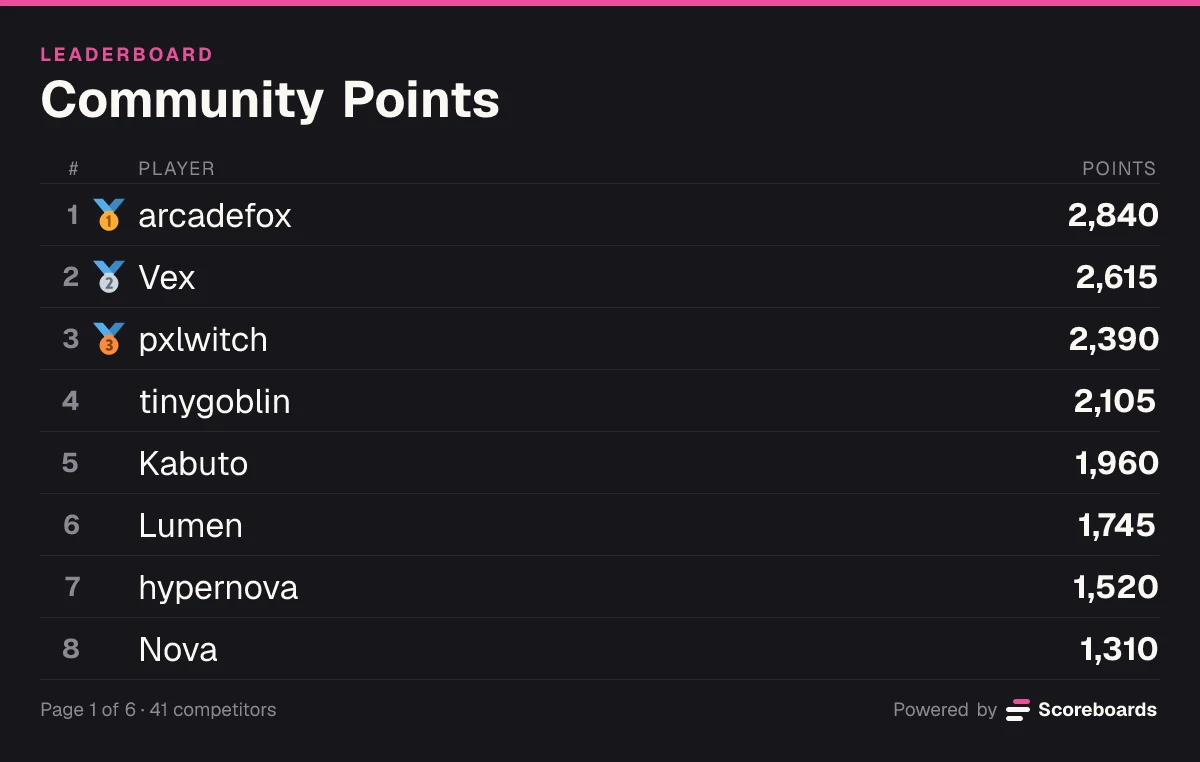

That covers hotlap competitions in iRacing, Assetto Corsa, F1 and Gran Turismo communities alike, because the bot does not care which sim the lap was driven in. It also means the bot does not read telemetry or session results from any sim: drivers submit their own laps and your stewards approve them. Scoreboards is not affiliated with any of these games.
Which board fits a hotlap competition and which fits a championship
A league usually needs two different things: a lap time table per track, and a points table for the season.
| You run… | Board type | What counts |
|---|---|---|
| A hotlap competition on one track | Time | Each driver's fastest lap, lowest time on top |
| A championship with points per round | Classic | Every round's points are added to the driver's total |
| Races with a small grid of 3 to 8 drivers | League, free-for-all | A placement points table pays the finishing order |
Time boards store every lap with millisecond precision. A driver who submits a quicker lap replaces their old one, and a slower lap changes nothing. Whether the board shows hundredths or milliseconds is set under Time Configuration on the dashboard, and new boards start on milliseconds. The Fastest Times guide goes deeper.
For the championship, a Classic board is the simple choice. After each round an admin adds the points from your own points table with /score, choosing Adjust, and writes the round in the comment, for example "Round 4, Monza".
A League board in free-for-all format can take the finishing order directly and pay it from a placement points table such as 10,8,6,4,2,0. It is limited to 3 to 8 drivers per race, and every report must name exactly the board's lobby size, so it only fits small, fixed grids. Bigger grids belong on Classic.
Set up a hotlap board step by step
- Add the bot. Invite Scoreboards to your server. You need Manage Server permission.
- Create the board. In the channel where it should live, run
/leaderboard create. Give it a Name like "Spa GT3 Hotlap", set Leaderboard type to Time and, if laps should be checked first, pick a Log channel such as #stewards. - Check the order. The board is posted right away. Time boards start in ascending order, so the fastest lap is on top without any change. More options under the reply holds the sort order if you ever need it.
- Pick the display. Run
/dashboard, open the board and choose hundredths or milliseconds under Time Configuration. - Write the rules next to it. Car or class, fixed or open setup, assists, track limits, and what the screenshot has to show.
- Add the championship. Run
/leaderboard createagain with the Classic type and a name like "GT3 Championship".
The Free plan and "one board per track". Free includes every board type, unlimited drivers and 2 leaderboards per server. A full calendar with a board per track needs more: Plus allows 25 leaderboards, Premium 100 and Ultimate 500. On Free, the usual setup is one "Hotlap of the Week" board plus one championship board. Give the hotlap board a weekly season and it freezes each week's result as a record and starts a fresh board for the next track. Frozen season boards do not count toward the limit.
How drivers submit laps and how stewards approve them
Drivers press Submit score under the leaderboard. The form takes the lap time and an optional screenshot.
The time is written with colons, minutes first: a 1:47.382 becomes 01:47:382. Three digits at the end are read as milliseconds, two digits as hundredths, so 01:47:38 is 1:47.38. This is the mistake new drivers make most often, so put an example in your rules.
What happens next depends on the log channel:
- No log channel: the lap counts the moment it is sent. Fine for a relaxed group of friends.
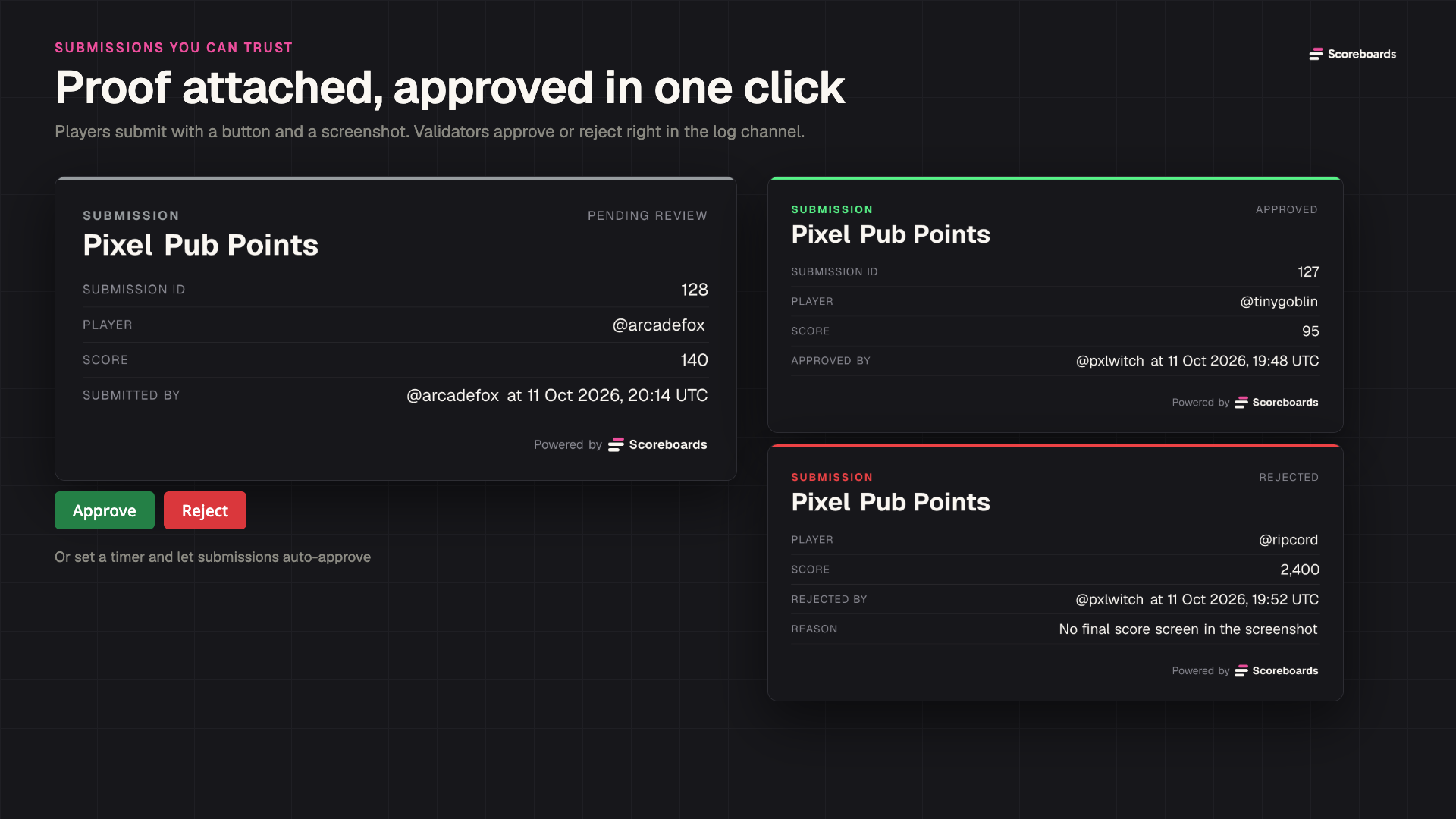
- With a log channel: every lap appears there as a card with the driver, the time and the screenshot. Anyone with the validator role presses Approve or Reject, and a rejection can carry a reason.
- Auto Approve: on the dashboard, laps nobody has handled can approve themselves after 1 hour, 3 hours, 24 hours, 3 days or 7 days.
Admins can also enter a lap for a driver, either through the member picker in the Submit score form or with /score, which sets a time directly and is the quick fix for a typo.
Keep it fair and keep it alive
- Ask for proof. The screenshot is optional in the form, so make it a rule: the result screen with lap time, track and car visible, or the lap is rejected.
- One board per combination. A GT3 lap and a GT4 lap do not belong in the same table. Split by class, not just by track.
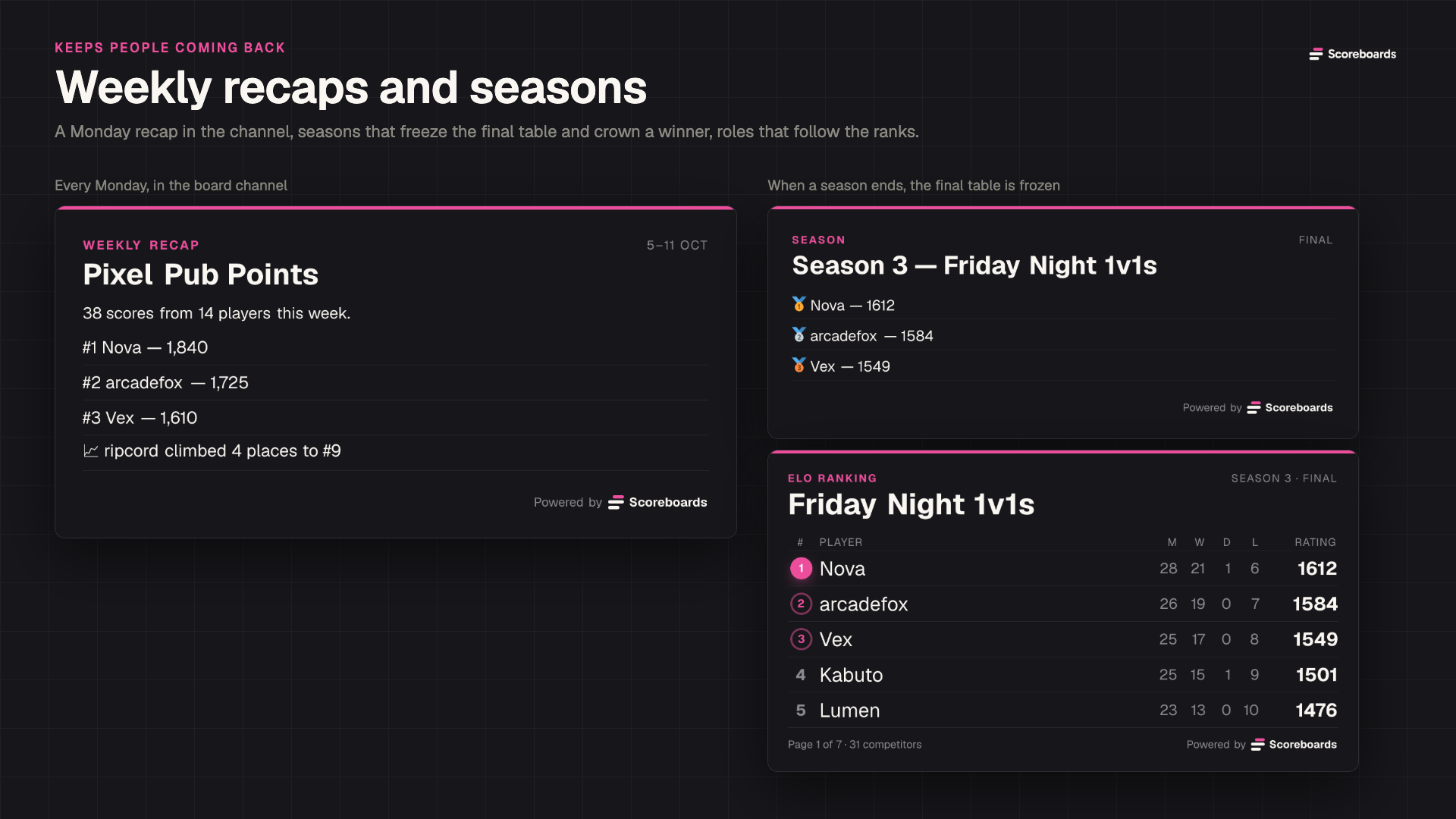
- Run seasons. Seasons can repeat weekly, every 2 weeks or monthly. When one ends the board freezes, a podium is posted and the next board starts by itself. A champion role can go to first place or the top few.
- Give the fast drivers a role. Tier roles hand a Discord role to the top ranks, for example the top 3 of the weekly hotlap. Tier roles need the Plus plan or higher.
- Let the recap do the reminding. Every Monday, a board with at least three scores in the past week gets a recap with the top three and the biggest climber.
FAQ
Can the bot read lap times from iRacing or Assetto Corsa automatically?
No. Scoreboards does not connect to any sim, so nothing is imported from telemetry or result files. Drivers submit their lap with the button, optionally with a screenshot, and it counts once it is approved.
How do I enter a lap time like 1:47.382?
Type 01:47:382: minutes, seconds and milliseconds separated by colons. With two digits at the end, as in 01:47:38, the last part is read as hundredths.
How many track boards can I have on the Free plan?
Two leaderboards per server, with unlimited drivers on each. Plus raises that to 25, Premium to 100 and Ultimate to 500. Boards frozen at the end of a season stay visible and do not count.
Can hotlaps and championship points live in the same server?
Yes. They are separate boards: a Time board for the laps and a Classic board for the points. Both fit in the Free plan's two leaderboards.
Start your hotlap board
Invite Scoreboards, run /leaderboard create with the Time type and post this week's track. If you want every setting explained, the step-by-step Discord leaderboard guide walks through the whole setup, from permissions to seasons.