
Discord roles
Handed out the moment someone buys. Sell them for good, or as rentals that come off after a set time, so members buy them again.
Members earn a currency every time they play on your leaderboards, then spend it on roles, board emojis and name colours. Something to play for, and something to show off.

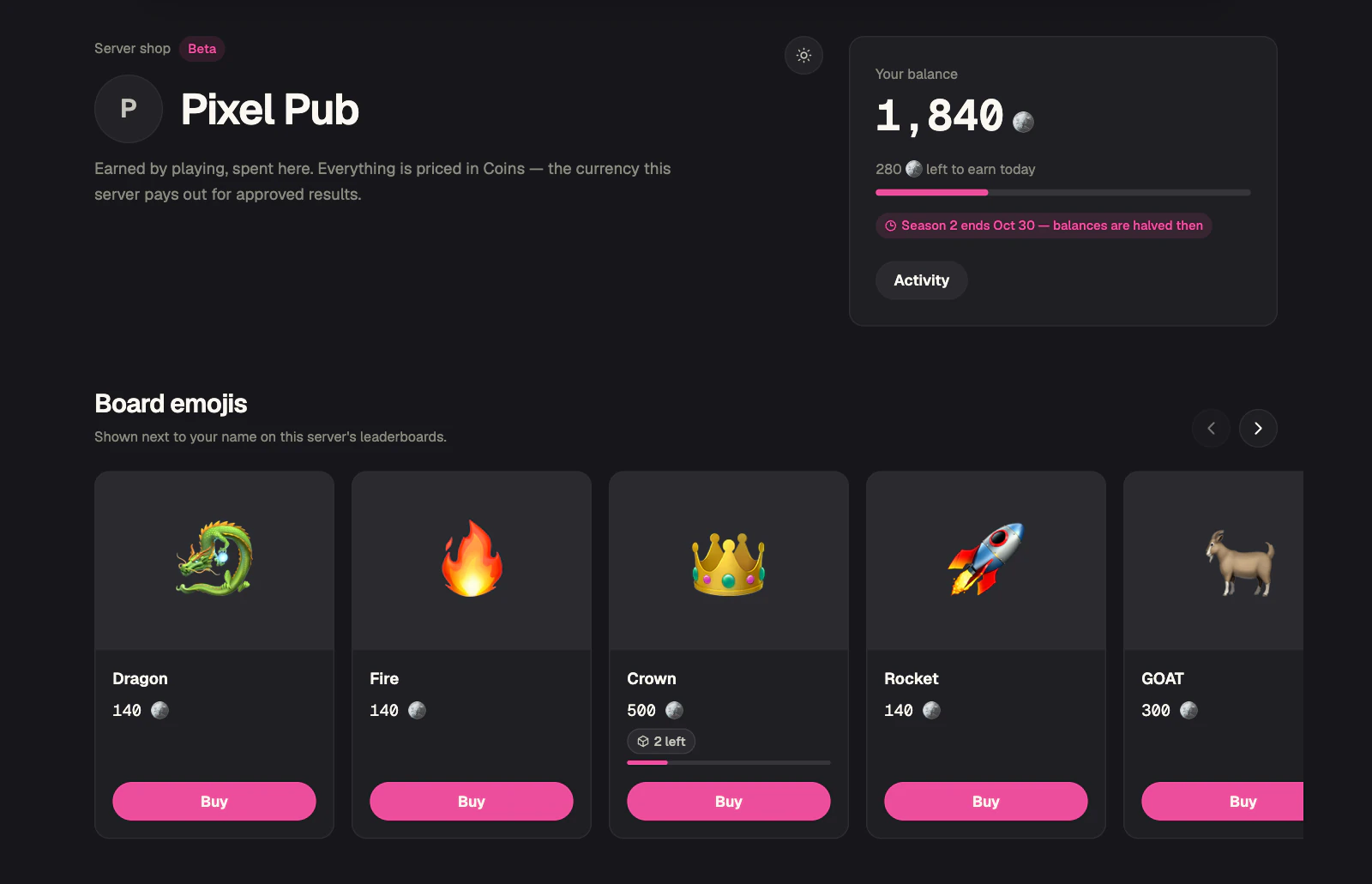
Your balance
1,840
Coins
Most Discord economy bots pay members for typing /daily and /work. Scoreboards pays for the thing you actually want more of: people playing. Every approved result on your leaderboards pays out a currency you name, and your server's shop gives it somewhere to go — Discord roles, an emoji beside your name on the leaderboard, a name colour. That is a reason to play one more match tonight, and a reason to come back tomorrow.
The activity loop
Activity needs a reason. The economy gives members four, and each one leads to the next.
01
Members post results on the leaderboards you already run.
02
Every approved result pays out. Beating a stronger player pays more.
03
The shop turns a balance into a role, a board emoji or a name colour.
04
What they buy shows on the leaderboard, where everyone else sees it and wants one too.
Members post results on the leaderboards you already run.
Every approved result pays out. Beating a stronger player pays more.
The shop turns a balance into a role, a board emoji or a name colour.
What they buy shows on the leaderboard, where everyone else sees it and wants one too.
Only one person can be first, but everyone can save up for something. The middle of the board gets a reason to keep playing.
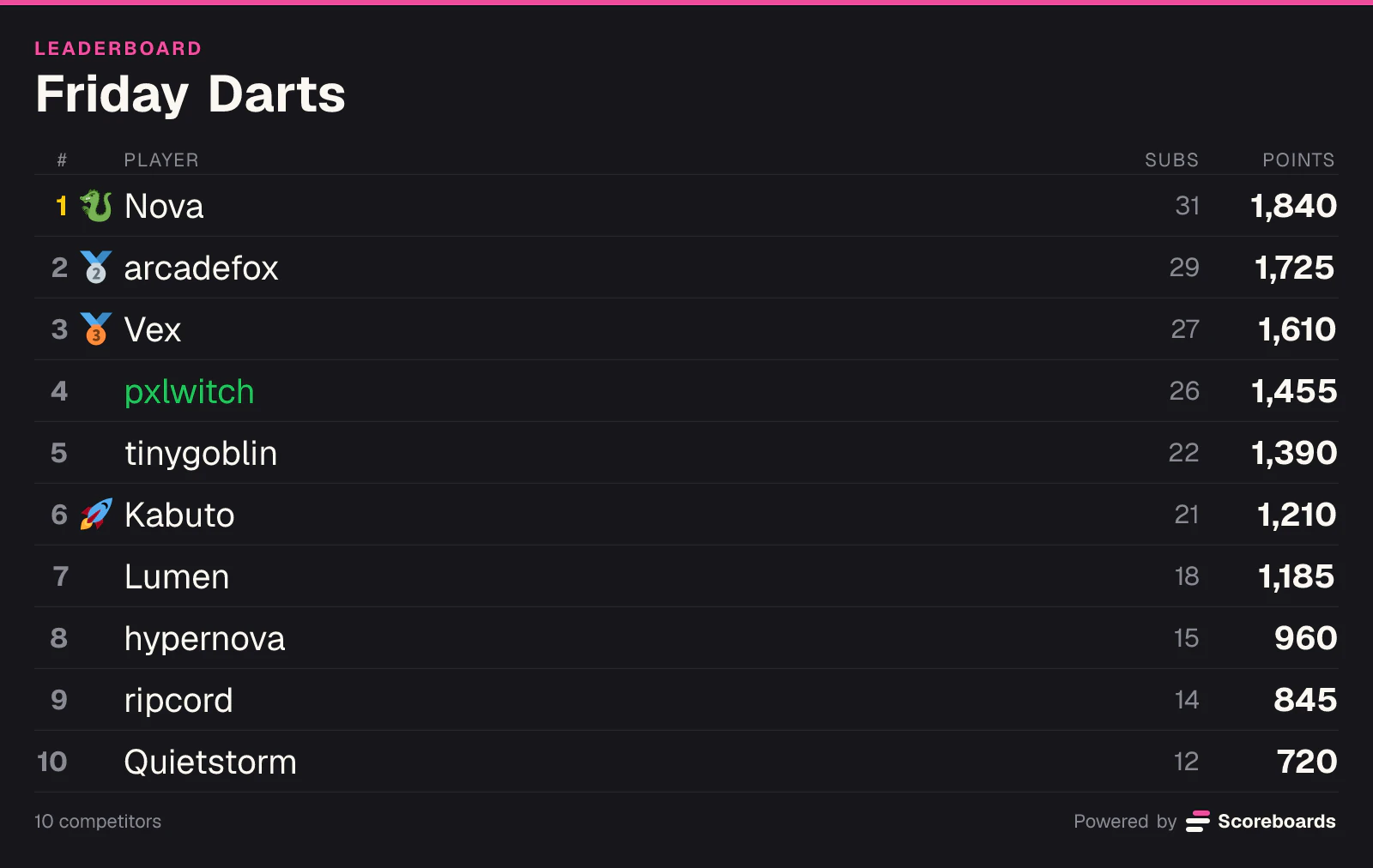
A bought emoji takes the place of a medal, and a name colour shows on every picture leaderboard. Your board becomes the place to be seen.
A daily cap spreads earning over the week, so the best plan is to play a little every day rather than everything at once.
Earning
There is no /daily or /work to farm. The economy pays for results on your leaderboards, so the only way to earn more is to play more, and to play well.
Payout
Win against a higher-rated player
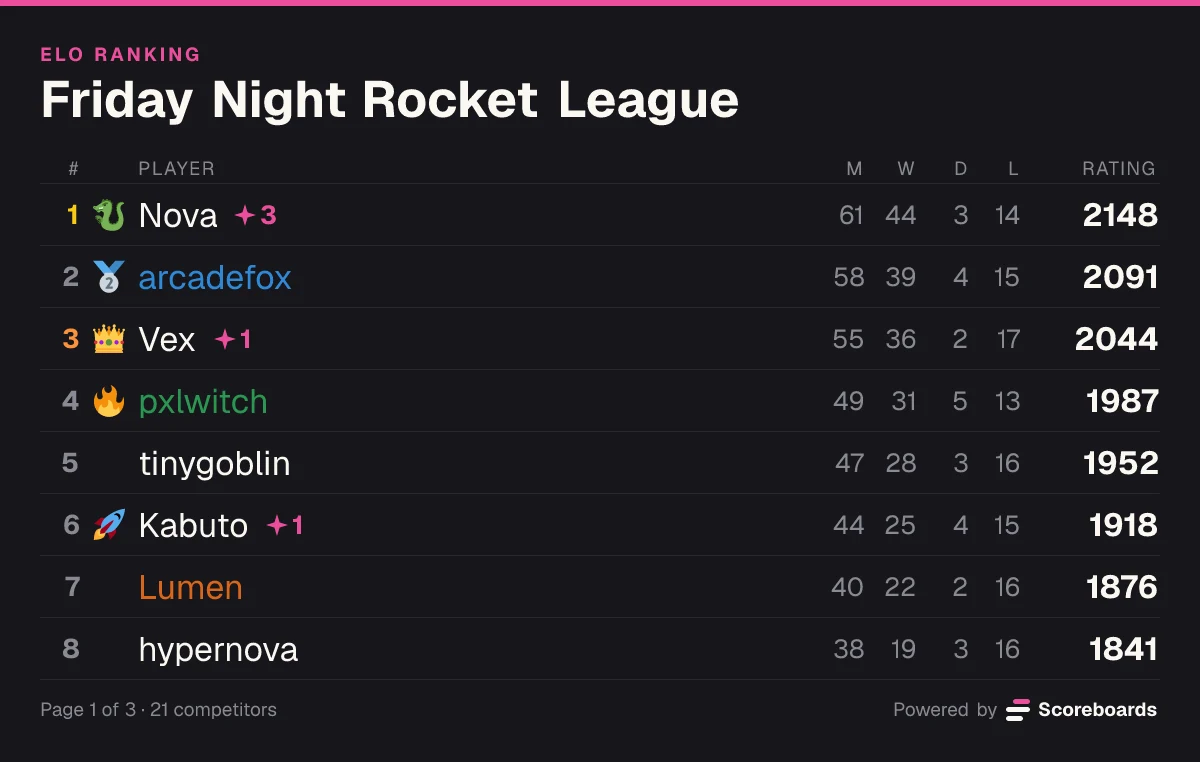
Friday Night Rocket League
On ELO boards the result counts, and so does the surprise. Beating someone rated well above you pays more than beating someone below you.
On Classic, Highscore and Time boards there is no opponent, so your place on the board decides the bonus. Climbing pays.
Every leaderboard in the server pays into the same balance. Image Rating boards pay nothing, because there is no result to price.
Cancel, edit or delete a result and its payout is taken back exactly as it was paid.
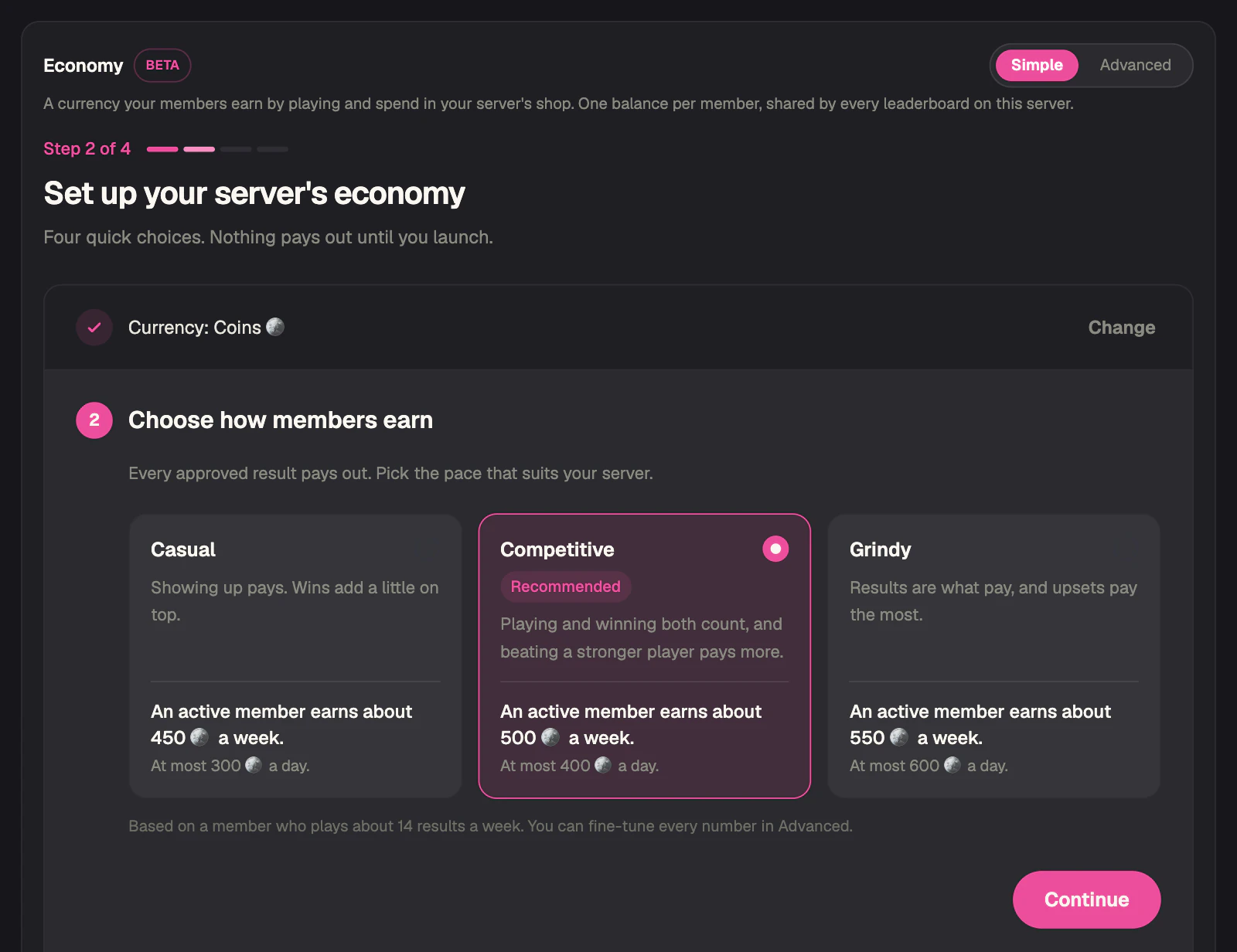
The three earning paces from the setup, worked out with the same formula the bot pays with.
An active member earns about
500
Coins a week
Playing and winning both count, and beating a stronger player pays more.
At most 400 Coins a day
| Opponent | Win | Draw | Loss |
|---|---|---|---|
| Stronger | 57 | 38 | 19 |
| Even | 54 | 35 | 16 |
| Weaker | 51 | 32 | 13 |
Based on a member who plays about 14 results a week and wins half of them. Every number can be fine-tuned in Advanced mode.
The shop
Every server gets its own shop page. Members open it from the Shop button under any leaderboard, log in with Discord, and buy.
Handed out the moment someone buys. Sell them for good, or as rentals that come off after a set time, so members buy them again.
An emoji beside the buyer's name on your leaderboards, on the web and in Discord. It even takes the place of a top-three medal.
Paint the buyer's name on the website and on picture leaderboards in Discord.
Ideas
Shop setups that give members a reason to show up. Each one is a setting you can switch on in the dashboard.
Auctions
List one rare emoji or role and let members bid on it. A bid in the last five minutes pushes the close back, so the finish becomes an event. The winning bid is gone for good and the result is posted in your log channel.
Rentals
A 7-day role keeps its holder playing to afford next week, and frees it up for someone else when it runs out.
Rotating stock
Give items a start and an end date. The shop shows what is coming, and items leave the shelf when their time is up.
Stock
Limit a product to a handful of copies. "2 left" on the shop card does the rest.
Seasons
With halving on, every balance is halved when a currency season ends. Newcomers can catch up, and veterans spend before the end date.
Prestige
Once a balance reaches the bar you set, a member can burn all of it for a prestige star beside their name. It survives every season.
ELO
Upsets pay more, so lower-rated players have a reason to take on the top of the board. Add the matchmaking queue for even more matches.
Shop button
The shop is one click from every leaderboard message. Launching the economy turns the button on for all of them at once.
Log channel
Auction results, prestige levels, season ends and admin grants are posted to the log channel you pick. Seeing someone else win is the best advert your shop has.
Quick start
Open the dashboard, pick your server and go to Economy. Simple mode is four steps on one card.
Invite the bot and run /leaderboard create. Members earn from results on your leaderboards, so you need at least one.
Add to DiscordPoints, Coins, Gems, Stars and Tokens are one click each, or type your own name and pick an emoji.
Casual, Competitive or Grindy. Each card shows what an active member earns in a week.
One click adds a starter set of six name colours and six board emojis, priced for your pace.
Tick the beta box and keep the Shop button ticked for all your leaderboards. Members earn from the next approved result.
Make the first purchase easy. At Competitive, an emoji at 140 Coins is about two days of play, so someone buys in the first week and everyone sees it on the board.
Keep one big goal on the shelf: a role or a rare emoji at about a month of play (2,000 Coins).
Announce the launch in your server and say what the first emoji costs. People save faster when they know the target.
Pick a log channel in Advanced mode, so auctions, prestige and season ends happen in public.
Hold your first auction in week two, once balances have had time to build up.
Reward your events by hand: give currency to the winners from the dashboard. Every grant is logged.
Leave the numbers alone for the first few weeks. Once five members have earned, the overview shows what a typical active member makes.
Fair by design
A currency only means something if it is hard to fake. These brakes are built in.
One member can only take home so much a day: 400 at Competitive.
The first two matches against the same player in a week pay in full. After that each one pays less, down to a tenth.
By default a Discord account has to be 7 days old before it earns, so alt accounts are not worth making.
Results go through your normal approval flow first, so your moderators stay in control.
A cancelled or edited result takes its payout back, even if it has already been spent.
Every payout shows its working, and every admin grant is logged with the admin's name.
No. Members earn by playing on your leaderboards and spend on the shop page, which the Shop button under each leaderboard opens. Admins set everything up in the dashboard.
ELO, League, Classic, Highscore and Time boards. Image Rating boards don't pay, because there is no result to price.
No. It has no cash value, it can't be bought, sold or redeemed, and it stays in the server it was earned in. Admins can adjust or reset balances at any time.
Yes. A role is handed out the moment someone buys it, for good or as a rental. Scoreboards' own role has to sit above every role it sells, and the dashboard greys out any role it can't hand out.
No. Each member has one balance for the whole server, and every leaderboard in it pays into that balance.
Yes. Admins hand currency out or take it back from a player's menu on the leaderboard's web page, or under Economy → Members. Every adjustment is posted to your log channel.
Yes, from the dashboard. Everything you set up is kept, so you can turn it back on later.
It is a beta. Payout values and shop behaviour may still change, and balances may have to be reset while it settles. That's why an admin ticks a beta box before launching it.
Add Scoreboards, post a leaderboard, and launch your economy from the dashboard.
Add to Discord