
The Scoreboards economy is a beta, and it stays switched off until a server admin turns it on. Once it's on, Scoreboards works as a Discord points bot: every approved result pays your members a server currency, and they spend it in your shop on roles, board emojis and name colours.
It isn't a Discord economy bot of the /daily and /work kind. There are no commands to farm: members earn by playing on the leaderboards you already run.
How members earn points
Every result your server approves pays the players in it. A payout is a small flat base plus a share of a variable pool, and what decides the share depends on the board:
- On ELO boards, the result counts and so does the upset. Beating someone rated well above you pays more than beating someone below you.
- On Classic, Highscore and Time boards there's no opponent, so your place on the board plays that part.
- Image Rating boards don't pay. There is no result to price.
A few brakes keep it fair:
- A daily cap limits what one member can earn in a day: 400 at the default pace.
- A win streak adds 2% per win, up to a cap you set.
- Playing the same opponent over and over pays less. The first two matches in a rolling week pay in full, and each one after that pays less.
- By default, a Discord account has to be at least 7 days old to earn.
- Cancelling, editing or deleting a result takes its payout back, even if the points were already spent.
Each member has one balance for the whole server, shared by every leaderboard in it.
What they can buy
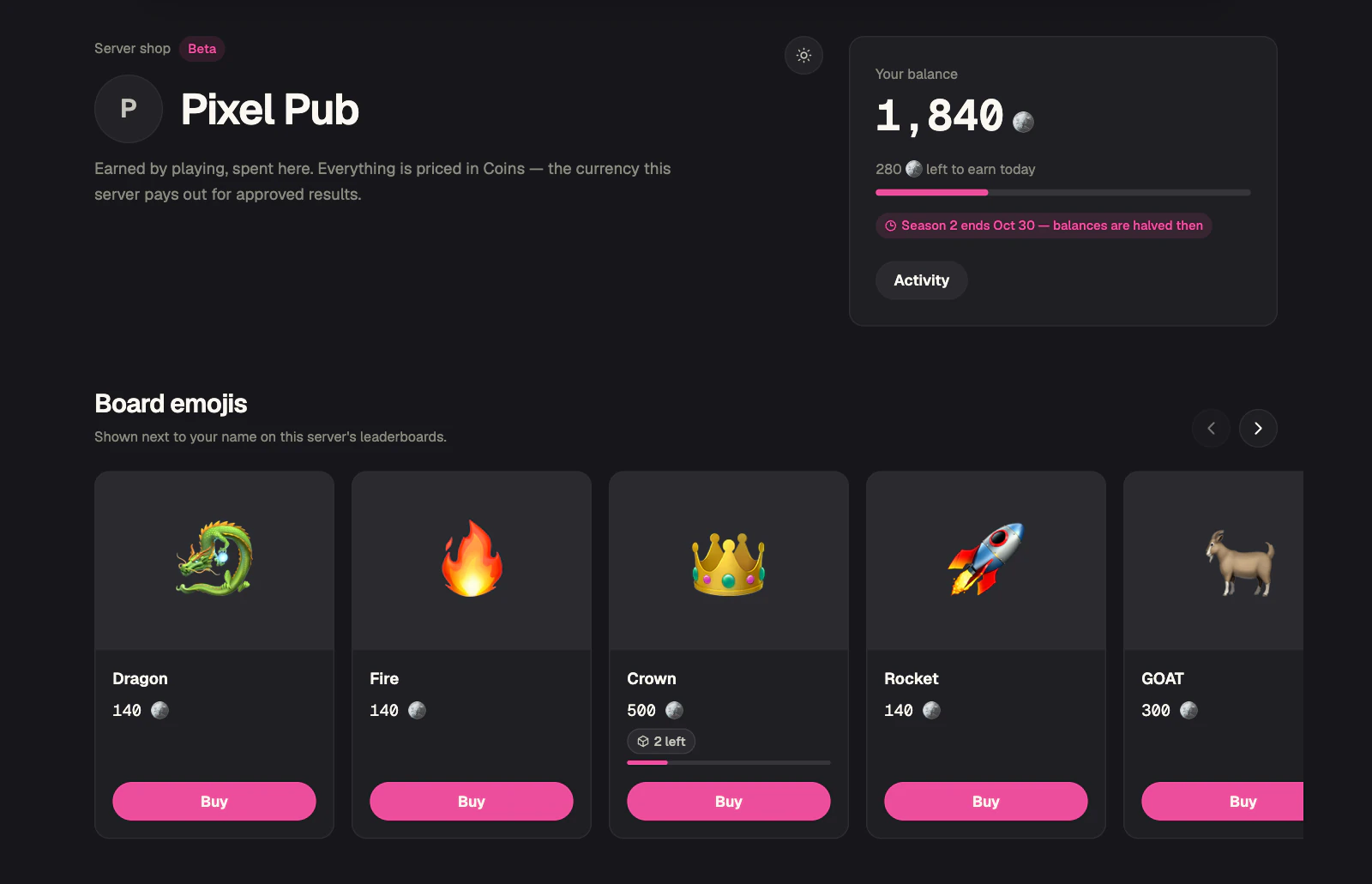
The shop works as a Discord role shop, and it sells two more kinds of product that live on the leaderboards themselves:
- Discord roles. Granted the moment a member buys, for good or as a rental that comes off after a set time. Scoreboards' own role has to sit above every role it sells, and the dashboard greys out any role it can't hand out.
- Board emojis. One emoji beside the buyer's name on your leaderboards, on the website and in Discord. It takes the place of a medal, top 3 included, and still shows on boards with medals switched off.
- Name colours. These paint the buyer's name on the website and on picture boards in Discord, but not on boards posted as a text embed.
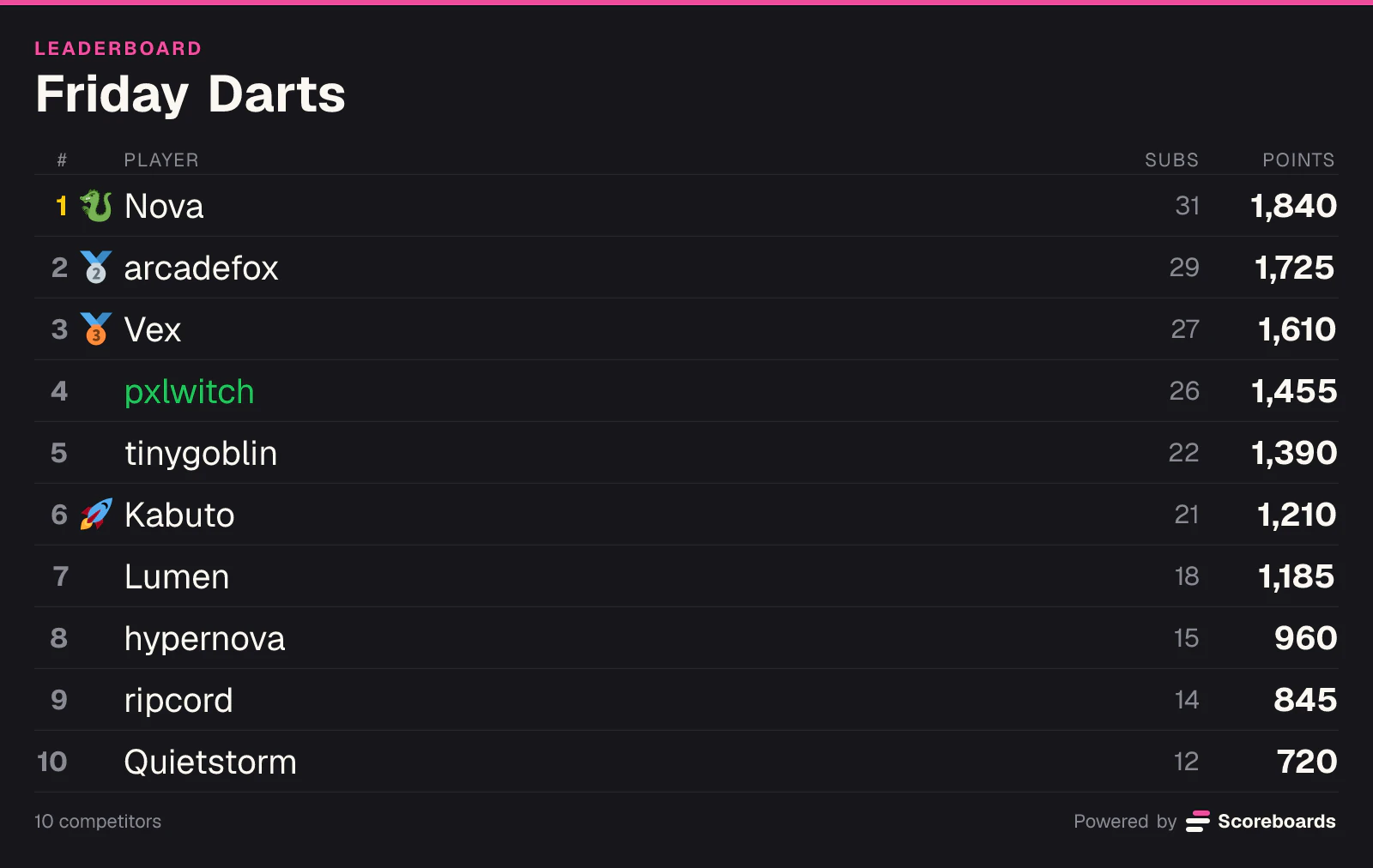
The shop is a page on scoreboards.dev for your server's members. They log in with Discord to see their balance, buy, and pick which emoji and colour to wear. The quickest way in is the Shop button under your leaderboards in Discord. When someone buys or equips something, the Discord boards they're on redraw straight away.
Auctions, prestige and seasons
Three optional extras give members something bigger to save for.
Auctions let you list one role, emoji or colour for members to bid on. A bid is taken when it's placed and returned the moment someone bids higher, and the winning bid is spent on the prize.
Prestige lets a member whose balance reaches a bar you set burn all of it for the next prestige level. The level shows as a star and a number beside their name and survives every season.
Seasons are currency seasons, separate from your leaderboard seasons. When one ends, the next starts straight away, and with halving on, every balance is halved first. Bought roles and items are kept.
Every payout shows its working
On the shop page, every payout opens to show how it was worked out: the base, the pool, the result, the upset, the streak bonus, any repeat-opponent cut and the daily cap. A reversed result shows up as its own line.
Admins can hand out or take back currency from the dashboard, or from a player's name on the leaderboard's web page. Every adjustment is recorded with the admin's name and posted to the log channel you pick, so nobody has to take a moderator's word for it.
Set it up in a few minutes
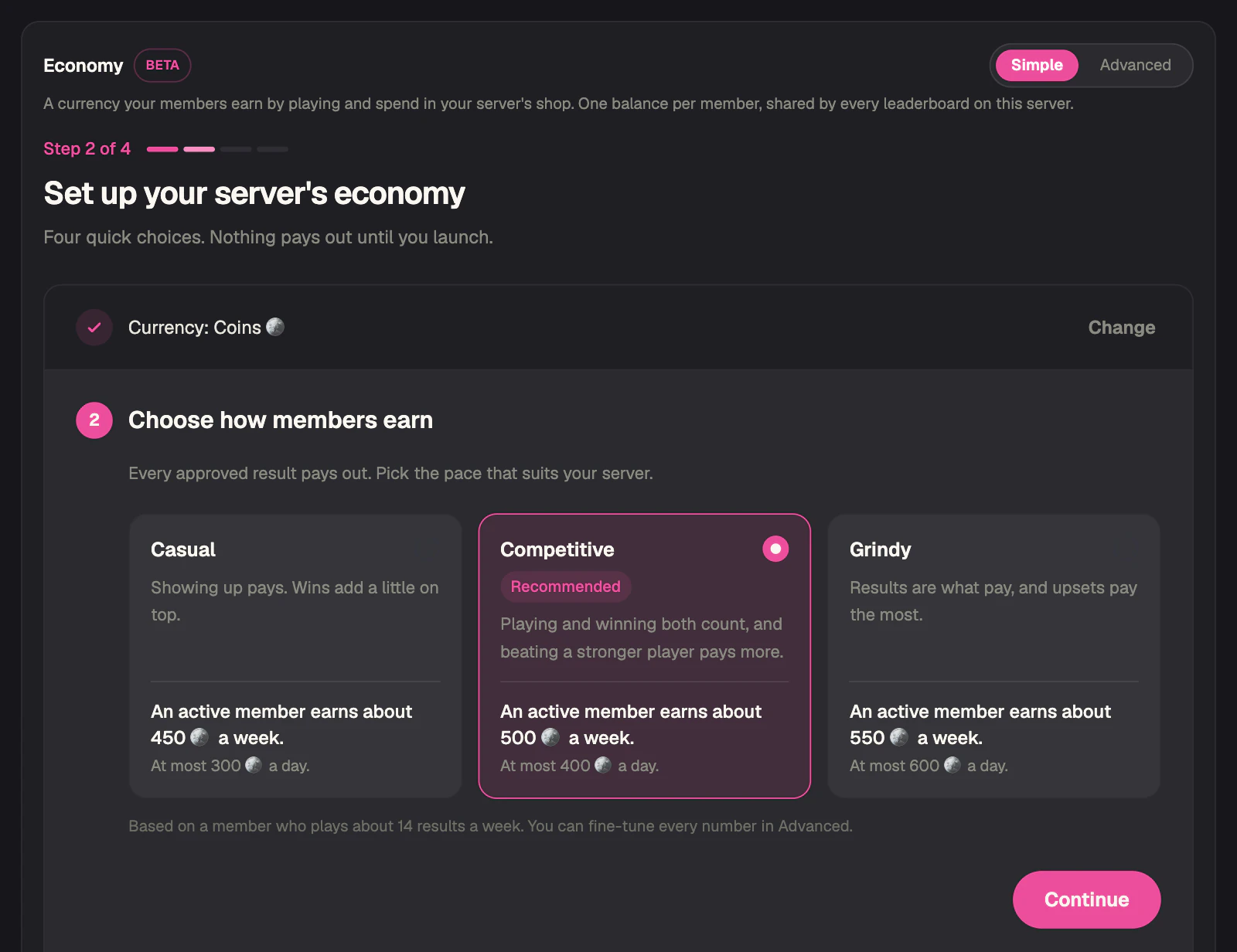
Open the dashboard, pick your server and go to Economy. Simple mode walks you through four steps:
- Name your currency. Points, Coins, Gems, Stars and Tokens are one click each, or type your own.
- Choose how members earn. Casual, Competitive or Grindy. Each card says roughly what an active member earns in a week.
- Stock the shop. Add a starter set of six name colours and six board emojis, priced for your pace, or add your own products. You can skip this step.
- Launch. Tick the beta box, leave the Shop button under all your leaderboards ticked, and press Launch.
Adding a product later takes three short steps, with suggested prices and a preview. Switch to Advanced for the full controls: the payout numbers, who can earn, the log channel, seasons, rentals, prestige, rotating stock and auctions.
It's a beta
Payout values, shop behaviour and mechanics may still change, some parts may not work as intended yet, and balances may have to be reset while it settles. That's why an admin has to tick the beta box before launching it.
The currency is not money. It has no real-world value, it can't be bought, sold or redeemed, and purchases are final. Admins can adjust or reset balances at any time. The terms of service cover the details.
Add it to your server
Invite Scoreboards, run /get started to post your first leaderboard, then set up the economy in the dashboard. Every setting is described in the Economy & Shop (Beta) section of the docs.
New to Scoreboards? Start with the Discord leaderboard bot itself, then pick the boards your members will earn on: the ELO rating guide covers ranked matches, and the Classic leaderboard guide covers points that add up over time.